How to Invite Team Members
Overview
This guide explains how to invite team members to your 925worksuite ERP system using an HR invitation link or email. It enables new employees to register and access the platform quickly.
Steps
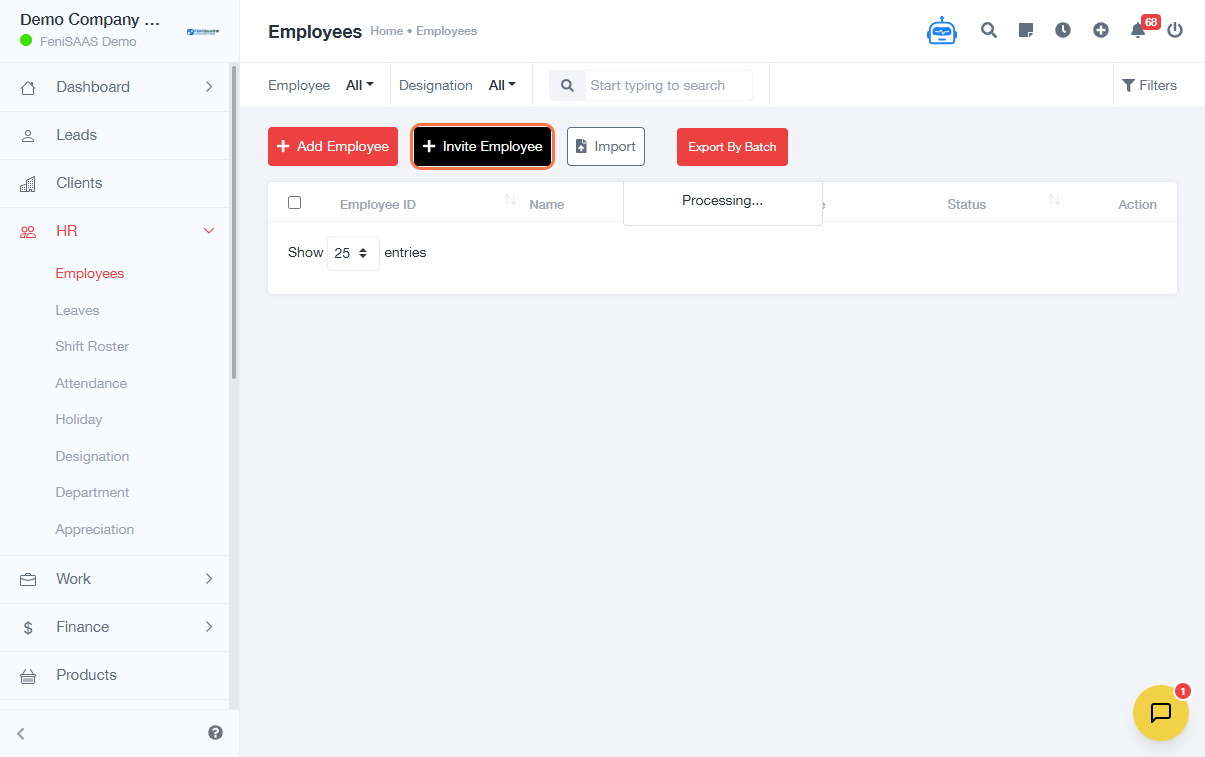
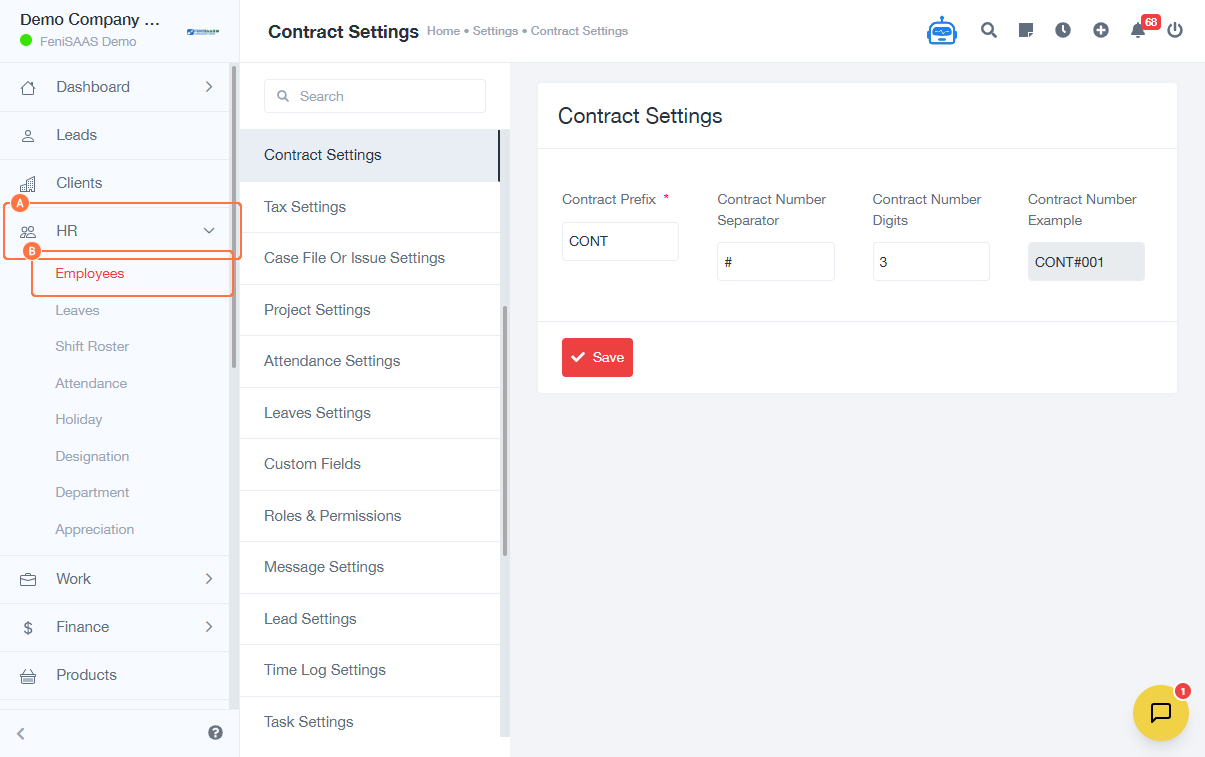
- Navigate to HR → Employees
- Click on Invite Employee
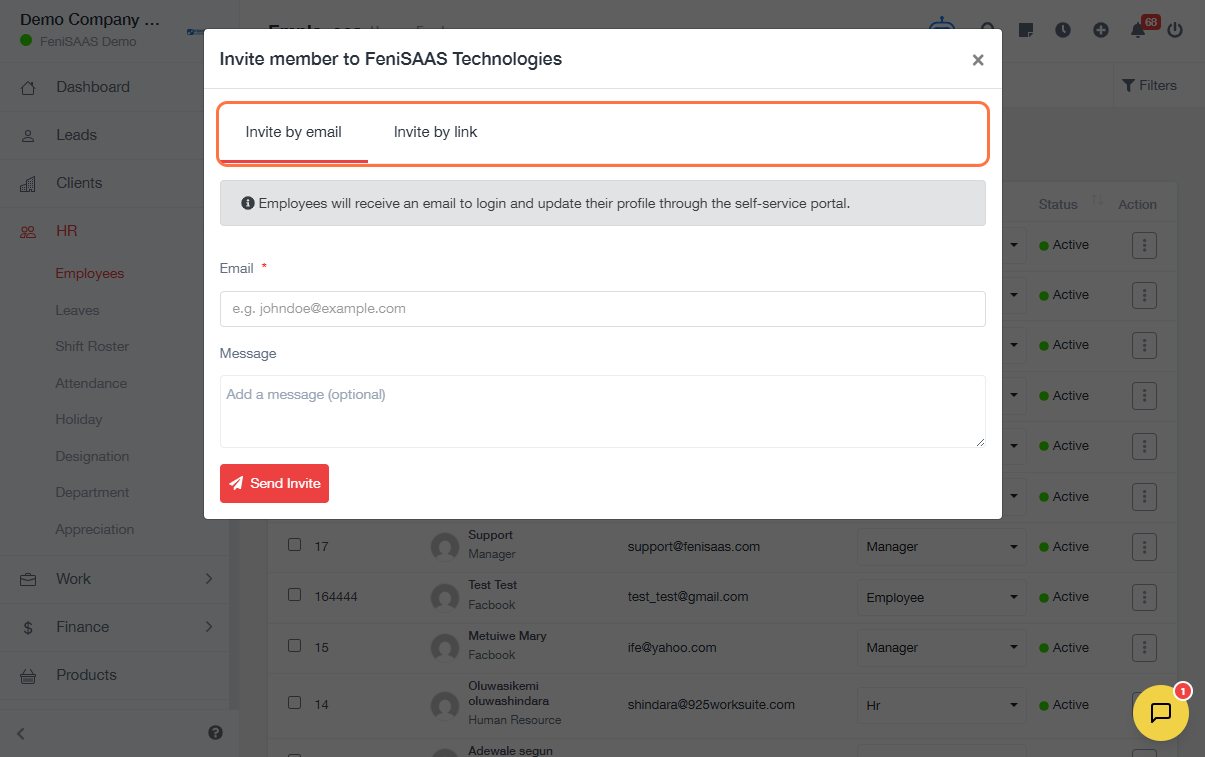
- Choose Invite by Email and enter Email of team members and send to them.
-
To invite via link:
- Click Invite by Link
- Click Create Link
- Share the generated link with the employee for registration
Expected Result
Employees will receive an invitation (via email or link) and can register to access the HR module of 925Worksuite ERP.
Common Errors
• Employee email not entered correctly
• Invitation link expired before use
• Duplicate invitations sent to the same employee
• Employee unable to access the link due to browser or network issues
FAQs
• How do I invite multiple employees at once?
Use the HR link method to send invitations to multiple users.
• Can I resend an invitation?
Yes, generate a new link and send it to the employee.
• What happens if an employee doesn’t receive the email?
Check spam/junk folder or share the direct invitation link manually.
• Can employees register with a link?
Yes, they need the invitation link to access the system.