How to Switch Between Modules 925Worksuite ERP
Overview
This guide explains how to switch between different modules in 925Worksuite ERP. It helps users navigate across features such as HR, Finance, CRM, Projects, and more from the main menu.
Steps
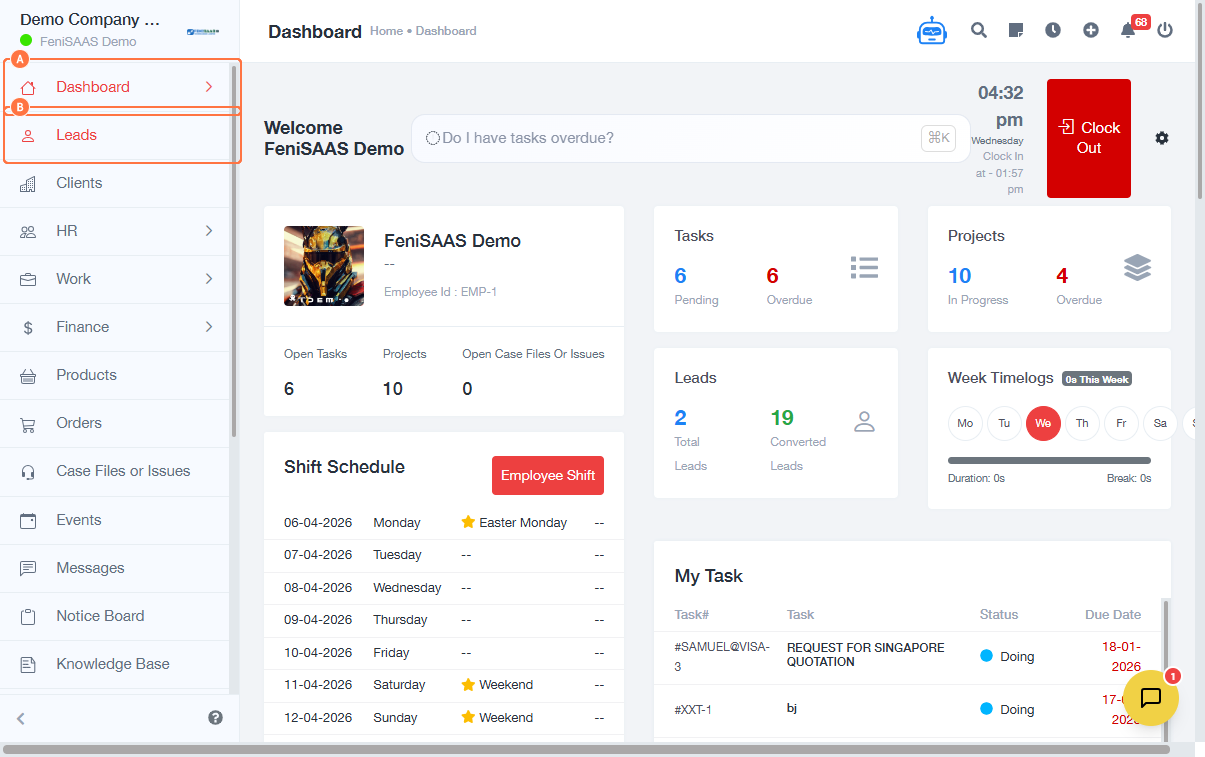
- From the dashboard, locate the main side menu
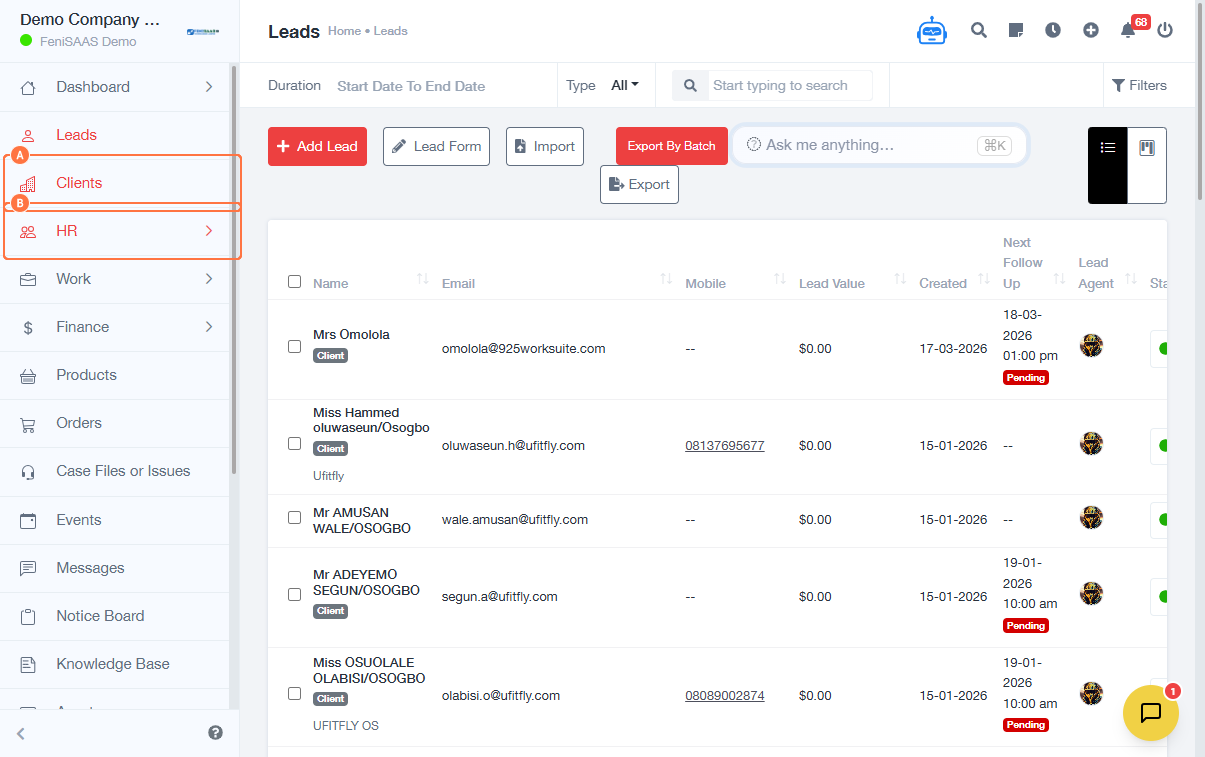
- Click on any module to switch views:
- Dashboard (main overview)
- Leads (manage prospects)
- Clients (customer management)
- To access HR features:
- Click on HR
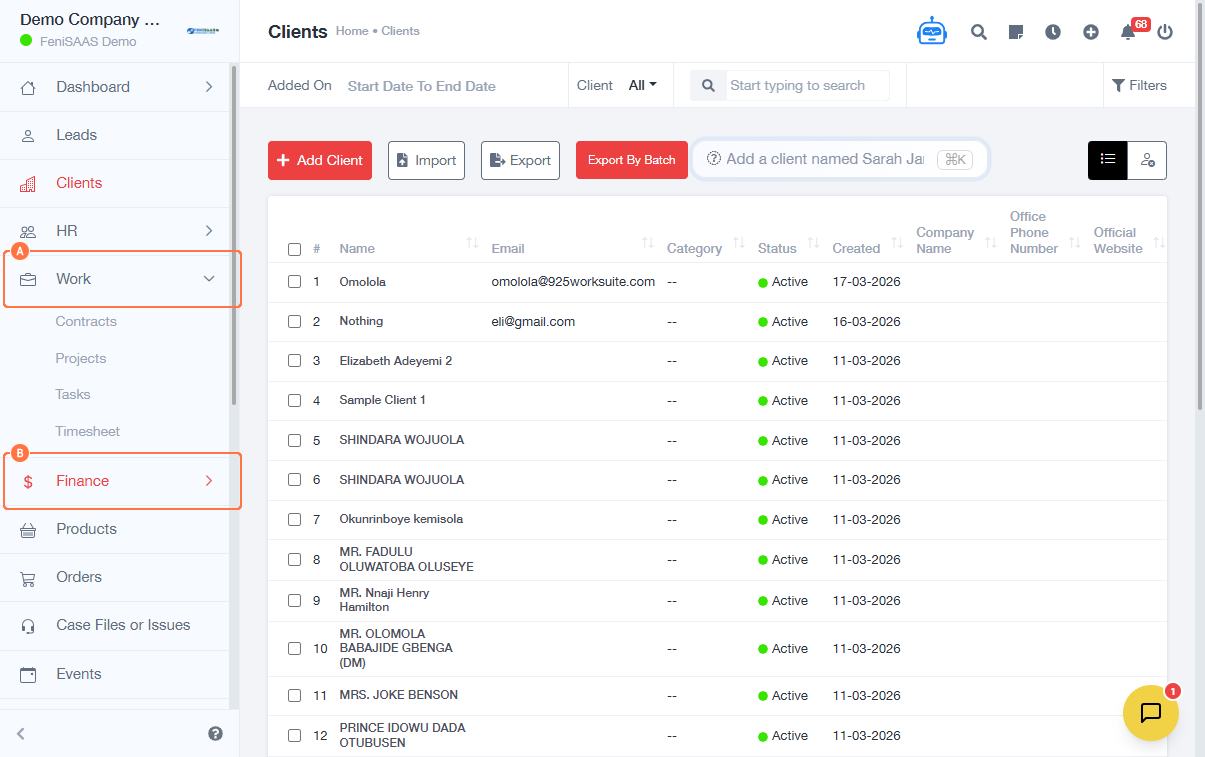
- To access work/project features:
- Click on Work
- To access financial tools:
- Click on Finance
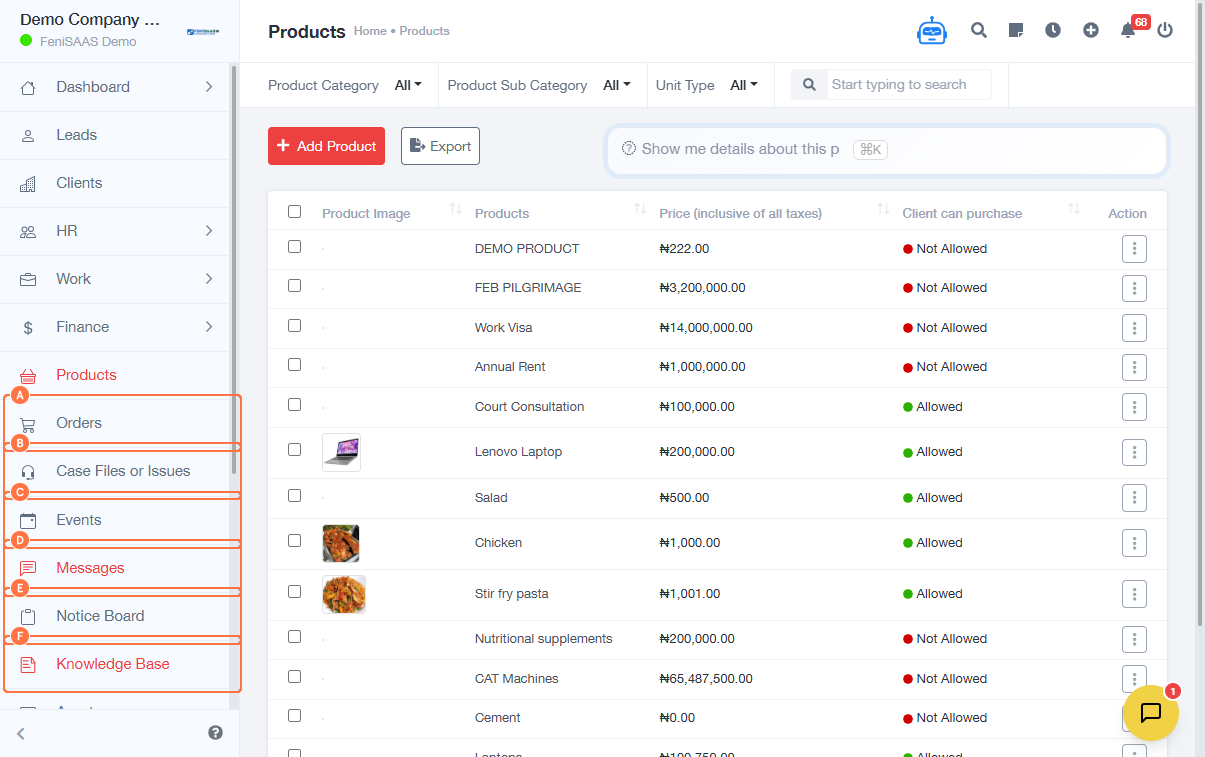
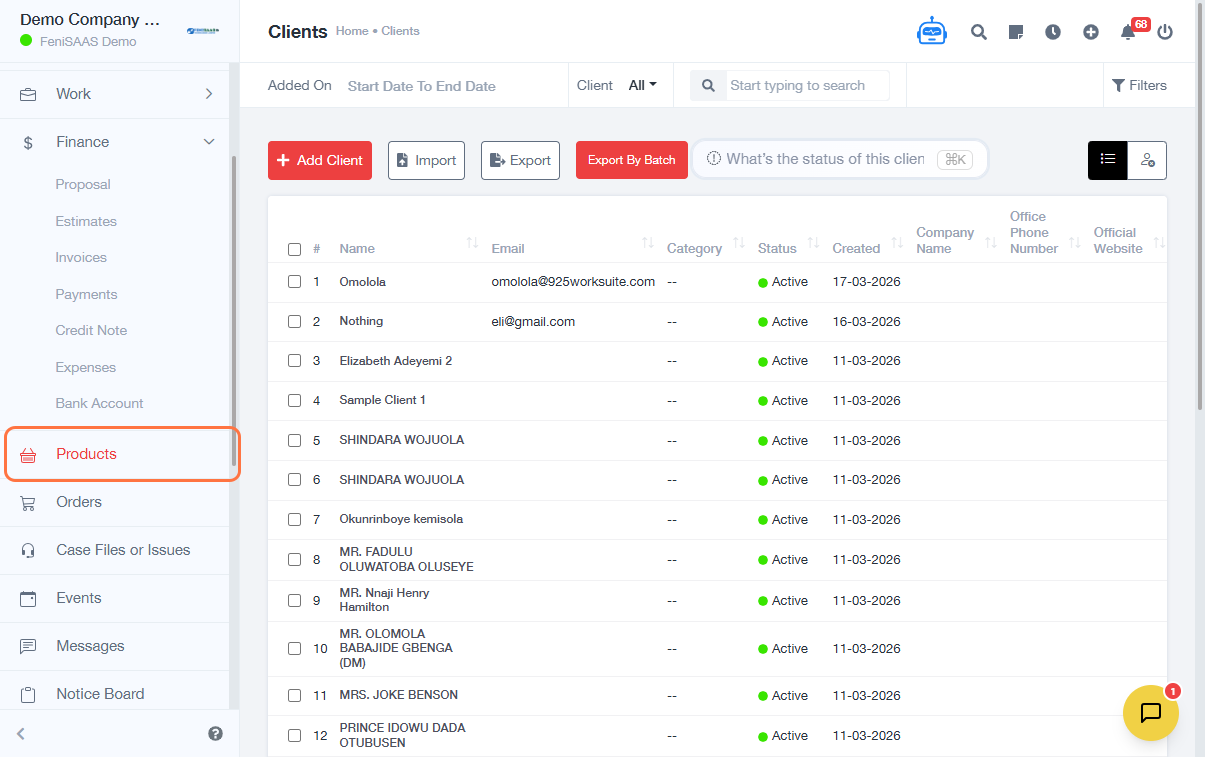
- To access product-related features:
- Click on Products
- You can also navigate to:
- Orders
- Case Files / Issues
- Events
- Messages
- Notice Board
- Knowledge Base
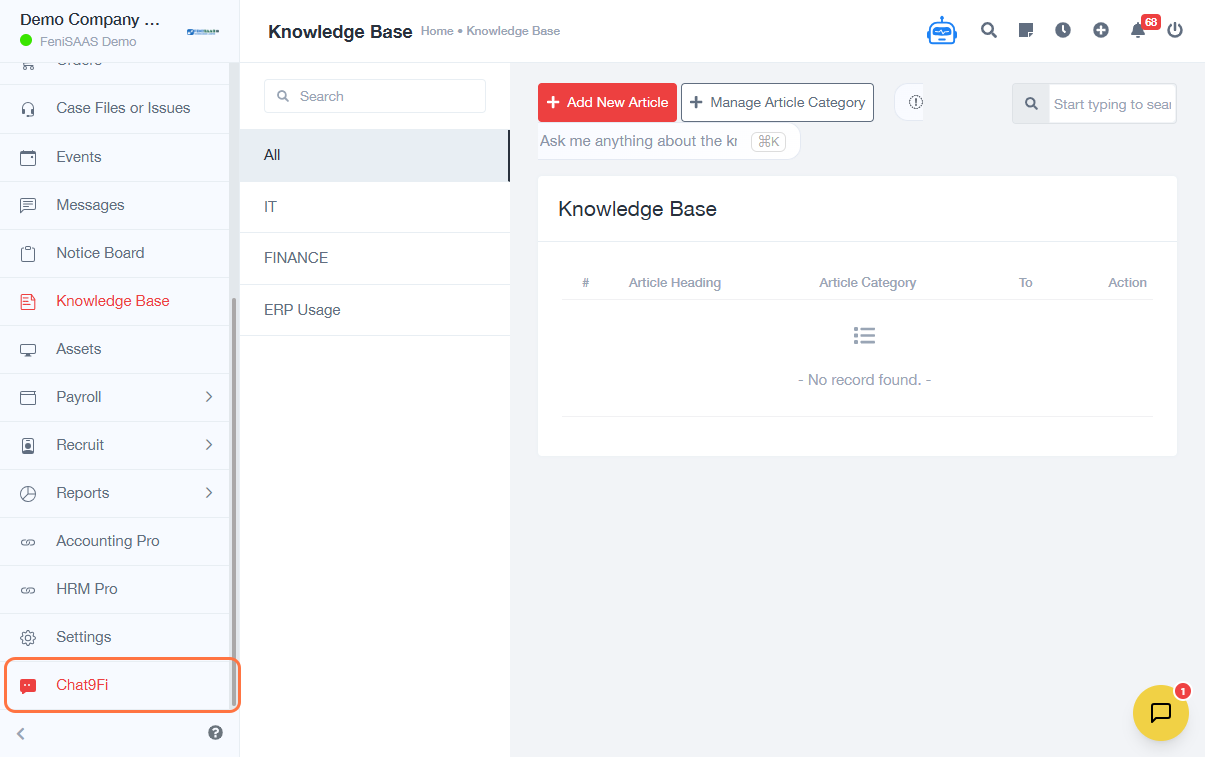
- To access AI support:
- Click on Chat9Fi
Expected Result
You will be able to switch between modules seamlessly and access different features within the ERP system.
Common Errors
• Clicking the wrong module due to similar names
• Module not visible due to permission restrictions
• Page not loading when switching modules
• Limited access based on user role
FAQs
• How do I switch between modules in 925Worksuite?
Use the side menu to click on any module, such as HR, Finance, or Work.
• Why can’t I see some modules?
This may be due to role-based permissions.
• Can I customize the modules I see?
This depends on your assigned role and system configuration.
• What is the fastest way to navigate the system?
Use the side menu or AI assistant (Chat9Fi) for quick access.