How to Convert Lead to Client (925 worksuite ERP)
Overview
This guide explains how to update a lead’s status and convert the lead into a client in the CRM module. This process ensures that qualified leads are properly transitioned into active clients for business operations.
Steps
- Navigate to CRM → Leads.
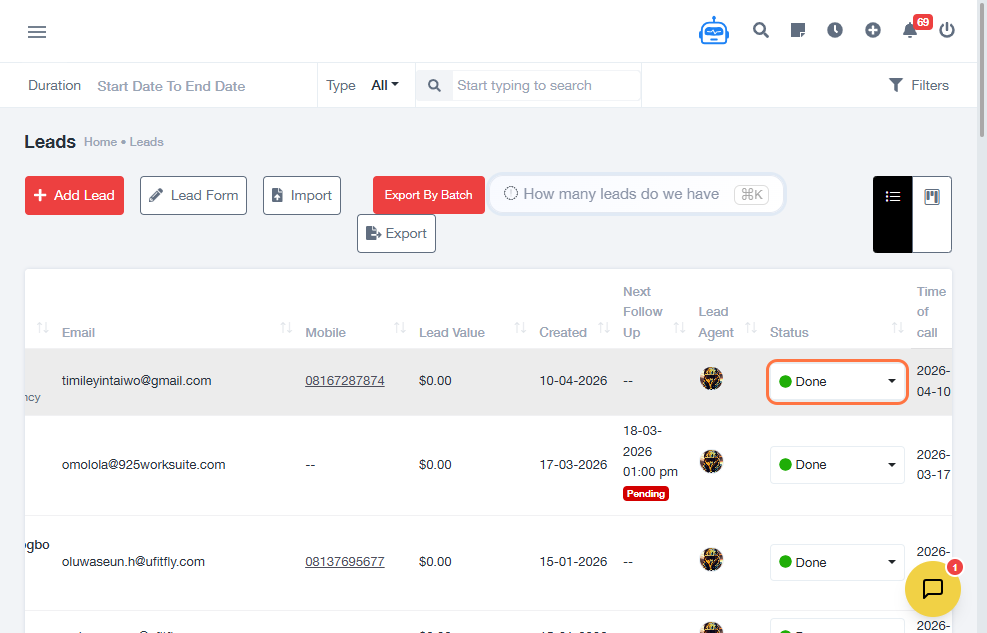
- Locate the lead and click on the Status field.
- Select the appropriate status.
- Adjust the status to DONE.
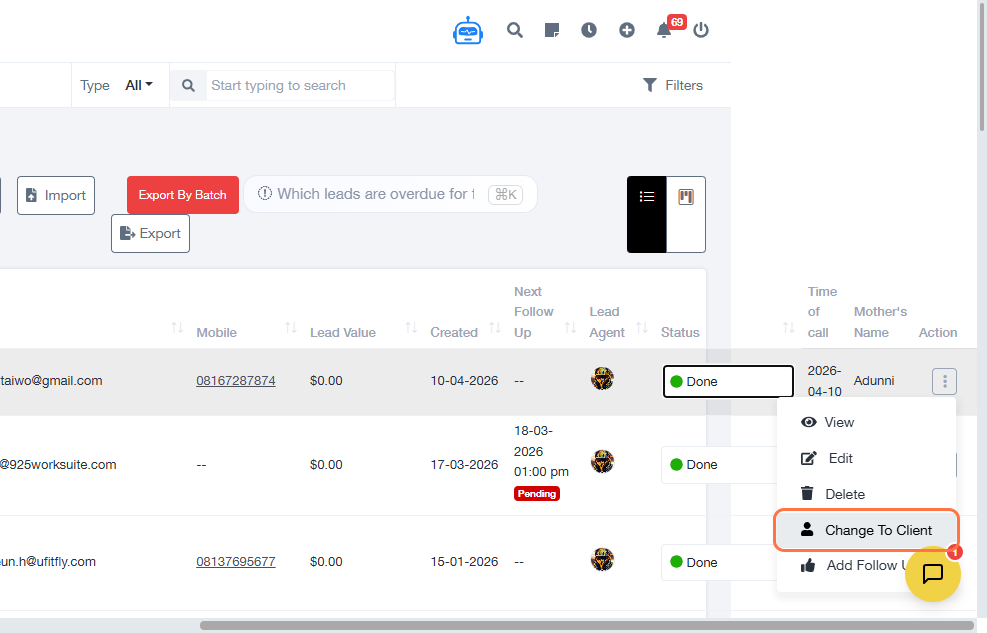
- Click the action link on the lead record at the extreme right.
- Select Change to Client.
- Choose required options from the dropdown fields.
- Update profile details if necessary.
- Configure additional client settings.
- Upload or select a Company Logo if neccessary
- Click Save to confirm changes.
Expected Result
The lead will be successfully converted into a client, and the client profile will be created with the selected details.
Common Errors
- Lead status not updated before conversion
- Required fields not selected during conversion
- Missing branch or company details
- Not saving after completing the form
- Incorrect configuration of client options
FAQs
Do I need to update the status before converting a lead?
Yes, updating the status ensures the lead is properly qualified before conversion.
Can I convert a lead without filling all fields?
Required fields must be completed before conversion.
Can I edit client details after conversion?
Yes, client information can be updated after conversion.
Why is the “Change to Client” option not visible?
Ensure the lead is in the correct status and you have the required permissions.