How to Update Attendance Settings in Attendance Management 925worksuite ERP
Overview
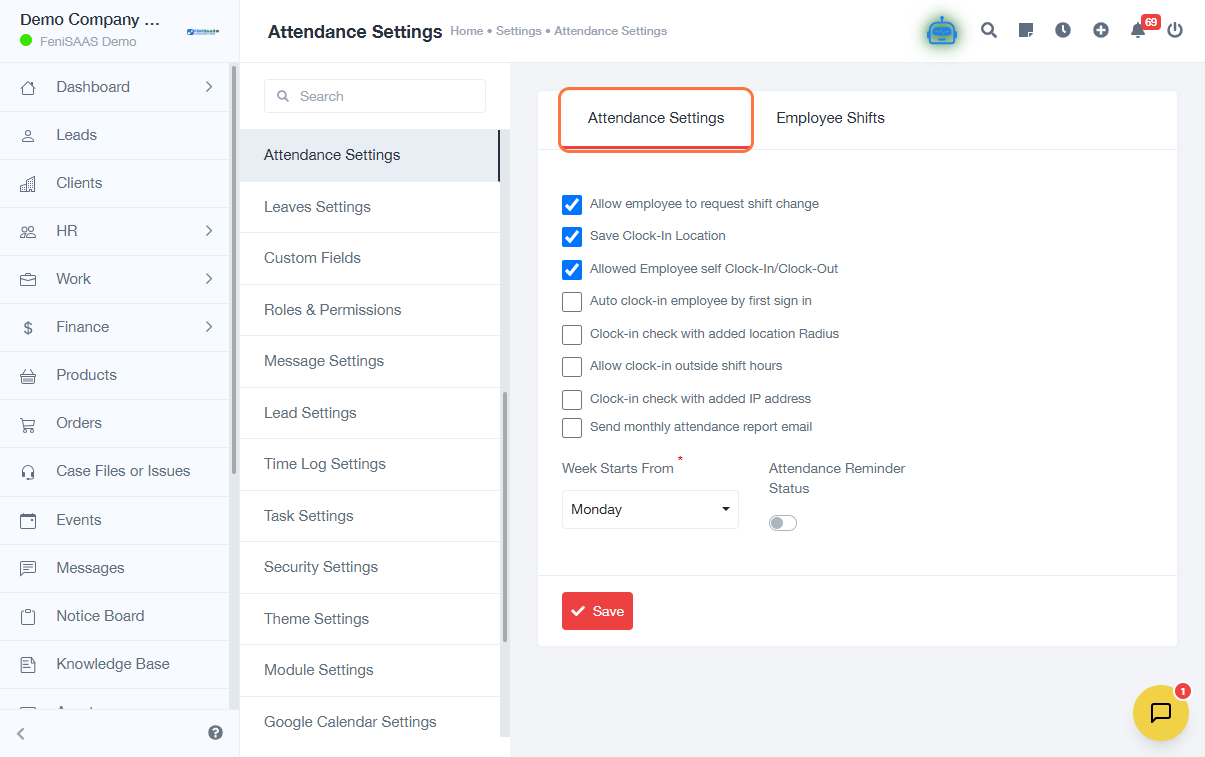
This guide explains how to update attendance settings in the system. These settings allow administrators to configure how employee attendance is tracked and managed across the organization.
Steps
- Go to the Dashboard
- Click on Settings
- Navigate to Attendance Settings
- Select Attendance Settings from the available options
- Update the required attendance configurations (e.g., policies, rules, or preferences)
- Click Save to apply your changes
Expected Result
Attendance settings will be successfully updated, and the new configurations will take effect across the system.
Common Errors
- Changes were not saved because the Save button was not clicked
- Incorrect configuration leading to attendance tracking issues
- Lack of permissions to access or modify settings
- Not reviewing settings before saving changes
FAQs
1. How do I access attendance settings?
Go to Settings, then click Attendance Settings.
2. Can I change attendance rules for all employees?
Yes, changes made here apply system-wide unless otherwise configured.
3. Why are my attendance changes not working?
Ensure you saved the changes and configured the correct options.
4. Who can update attendance settings?
Only users with administrative or authorized permissions.
5. Do changes apply immediately?
Yes, once saved, the new settings take effect immediately.