How to Track client/lead activities (925worksuite ERP)
Overview
This guide explains how to track and review a client’s records and activities in the CRM. The client profile provides access to financial transactions, contacts, documents, and activity history, allowing you to manage and monitor client interactions effectively.
Steps
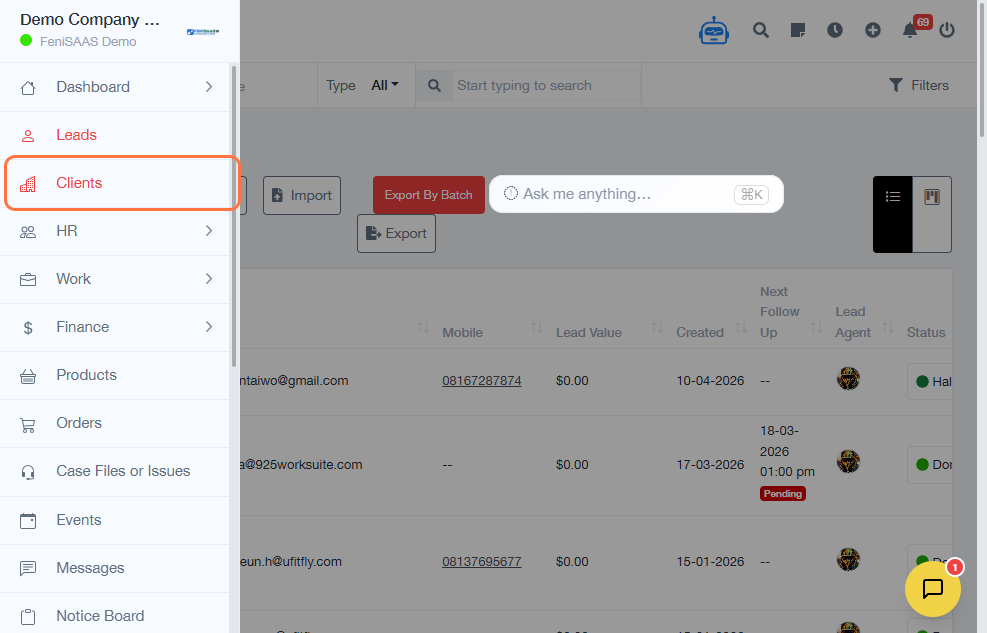
- Navigate to CRM → Leads.
- Click on Clients.
- Select the client you want to review.
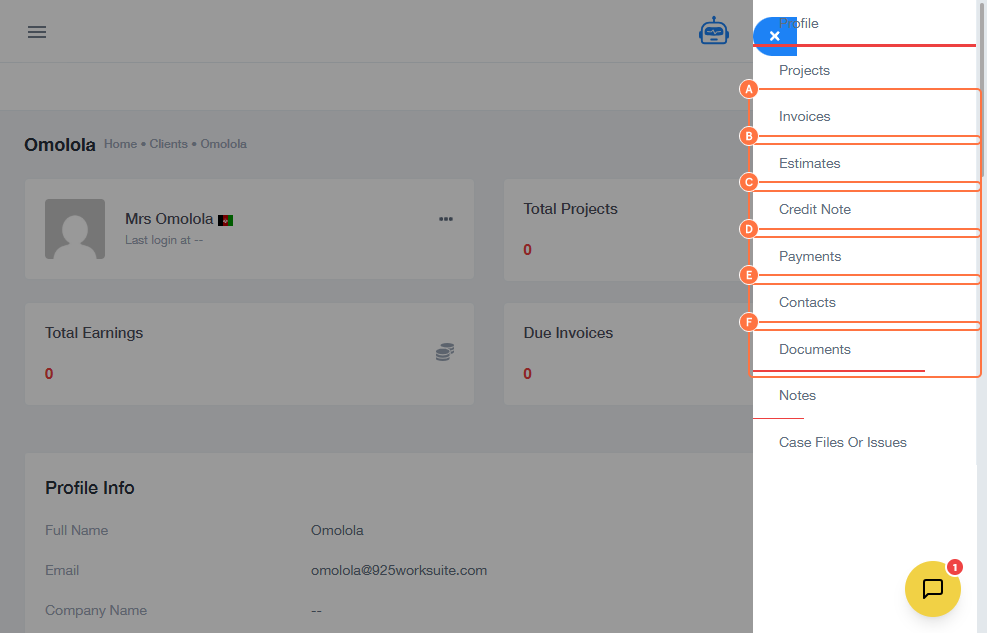
- Click on Profile.
-
Use the following sections to review client data:
- Invoices – View billing records
- Estimates – Review quotations
- Credit Notes – Check issued credits
- Payments – Track payment history
- Contacts – View associated contacts
- Documents – Access uploaded files
-
Scroll down to additional sections:
- Notes – Review internal comments
- Case Files or Issues – Track reported issues or cases
- Review all relevant information as needed.
- Exit the profile when finished.
Expected Result
You can view and verify all client-related information, including financial records, documents, contacts, and internal notes, from a single profile.
Common Errors
- Selecting the wrong client
- Not checking all relevant sections
- Missing important notes or case updates
- Overlooking payment or invoice details
FAQs
Where can I see client payment history?
In the Payments section of the client profile.
Can I view uploaded documents?
Yes, under the Documents section.
What is the purpose of Notes?
Notes are used to store internal comments and updates.
What are Case Files or Issues?
They track problems, requests, or service-related activities for the client.
Can I edit client information here?
Yes, depending on your permissions.