How to Manage Sales Pipeline Using Lead Dashboard in CRM (925 worksuite ERP)
Overview
This guide explains how to manage leads through the sales pipeline using the Lead Dashboard. By updating the lead status and using the Action tools (Follow Up, Proposal, Notes), you can track progress, manage interactions, and move leads toward conversion.
Pipeline Stages (Status Definitions)
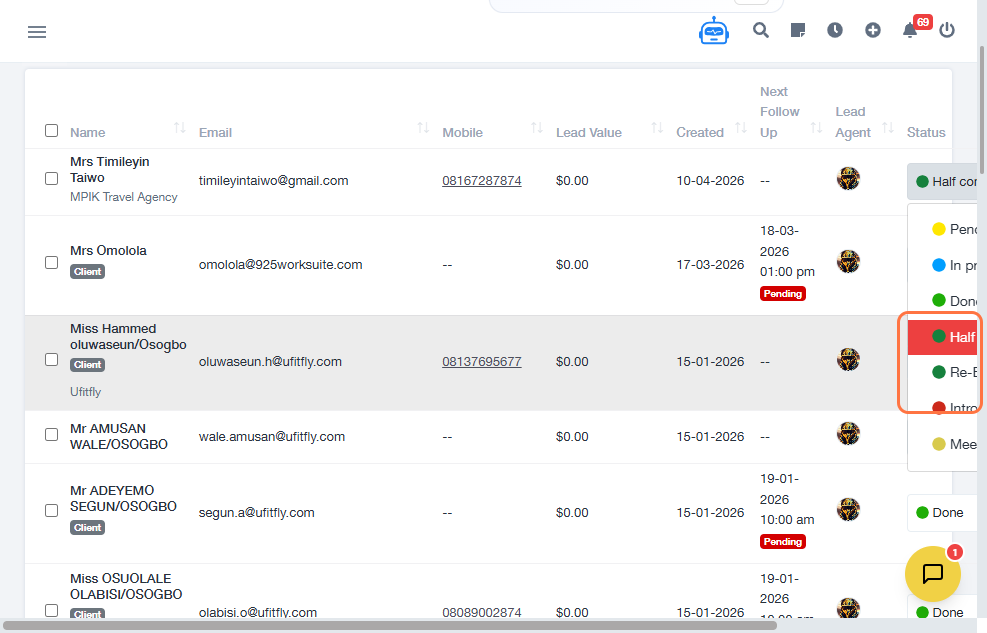
Use the Status dropdown to track where each lead is in the sales process:
- PENDING – Lead has been created but not yet contacted
- INTRODUCTION – Initial contact or introduction has been made
- MEETING – Meeting scheduled or completed
- IN PROCESS – Active discussions or follow-ups ongoing
- HALF COMPLETED – Partially progressed (proposal or requirements in progress)
- RE-EVALUATE – Lead requires reassessment or follow-up at a later time
- DONE – Lead process completed (converted or closed)
Steps
- Navigate to CRM → Leads Dashboard.
- Locate and select a lead.
- Click the Status dropdown.
- Choose the appropriate pipeline stage.
- Click the Action button.
- Select View.
-
Use the following tabs to manage the lead:
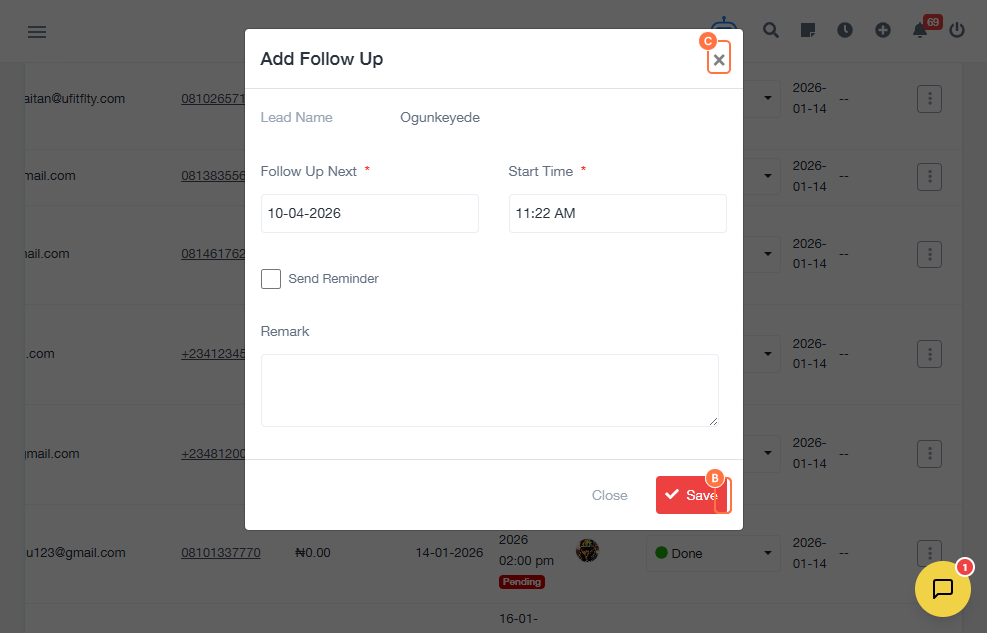
- FOLLOW UP – Track communication and next steps
- PROPOSAL – Manage pricing or offer details
- NOTES – Record internal observations
- Update the relevant information in each section.
- Return to the lead record.
- Update the Status as the lead progresses.
- Continue updating until the lead reaches DONE.
Expected Result
Leads are consistently tracked through each stage of the sales pipeline, with all activities, proposals, and notes documented in one place.
Common Errors
- Not updating the status regularly
- Skipping stages in the pipeline
- Failing to log follow-ups
- Missing proposal details
- Not adding notes for context
- Marking leads as DONE prematurely
FAQs
How often should I update the lead status?
Status should be updated after every major interaction or progress change.
What is the purpose of the FOLLOW UP tab?
It is used to track communication and schedule next actions.
When should I use the PROPOSAL section?
When sharing pricing, offers, or solutions with the lead.
What does RE-EVALUATE mean?
The lead is not ready to proceed and should be reviewed later.
Does DONE mean the lead is converted?
DONE indicates completion; conversion may depend on your internal process.