How to Create Invoice in Invoicing 925worksuite ERP
Overview
This guide explains how to create an invoice in the Finance module. It covers setting invoice details, adding products or services, and saving the invoice for record-keeping or sharing with clients.
Steps
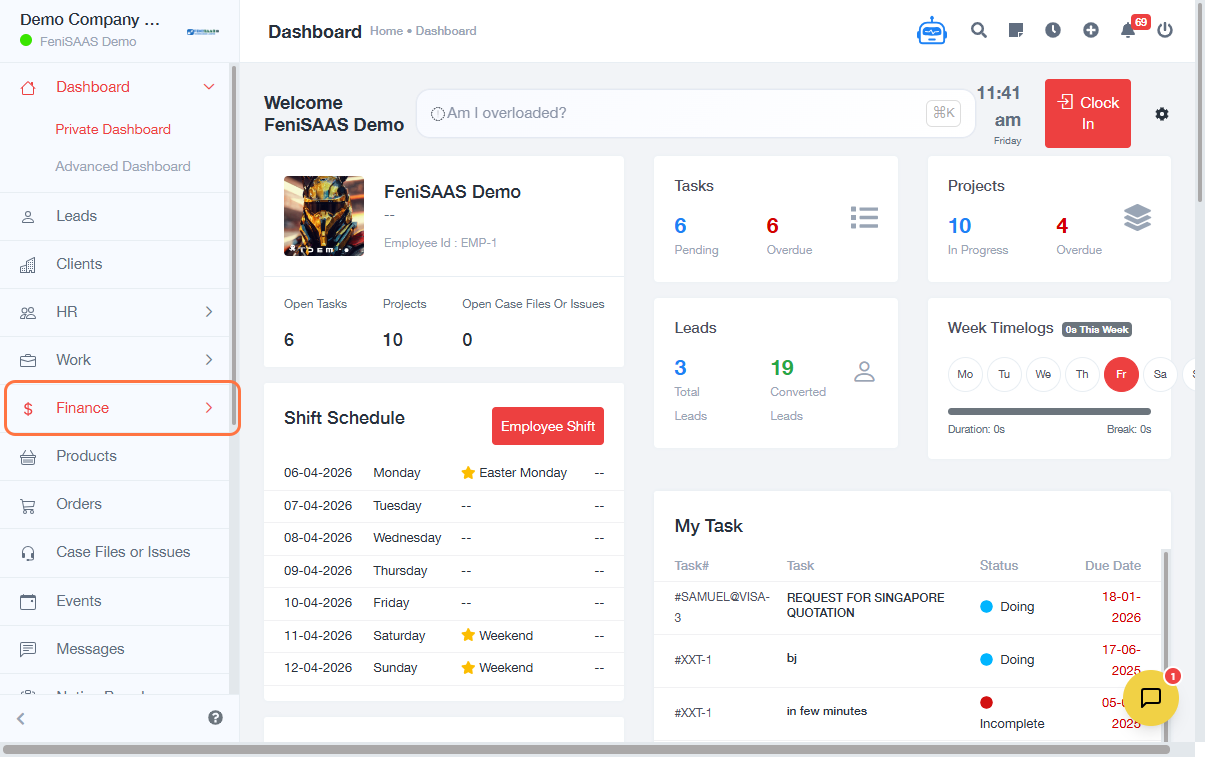
- Go to Dashboard
- Click on Finance
- Click on Invoices
- Click on Create Invoice
-
Fill in invoice details:
- Enter Invoice Number
- Select Invoice Date
- Select Due Date
- Choose Currency (NGN ₦)
- Select a relevant customer or field
-
Configure pricing options:
- Select applicable fields
- Choose After Discount if needed
-
Add items to the invoice:
- Click Select Product
- Enter Description
- Input Quantity
- Enter Unit Price
- Review item summary
-
Finalize invoice:
- Add Note for Recipient (optional)
- Click Save
Expected Result
The invoice will be successfully created and saved in the system, ready for viewing, editing, or sharing with the customer.
Common Errors
- Missing invoice number
- Incorrect or empty required fields
- Invalid pricing or quantity values
- Failure to select a product or service
- Not saving before exiting
FAQs
1. Can I edit an invoice after saving?
Yes, saved invoices can be edited unless they are locked or finalized.
2. Can I create an invoice without selecting a product?
No, at least one item (product/service) must be added.
3. What currency should I use?
Use NGN (₦) or the applicable currency based on your transaction.
4. Can I apply discounts to invoices?
Yes, you can configure pricing and apply discounts before saving.
5. Where can I find saved invoices?
All saved invoices are available under the Invoices section in Finance.