How to Add Department in HR Module on 925Worksuite ERP
1. Overview
This guide explains how to add a department in the HR Module. Departments help organize employees into functional units within the organization.
2. Steps
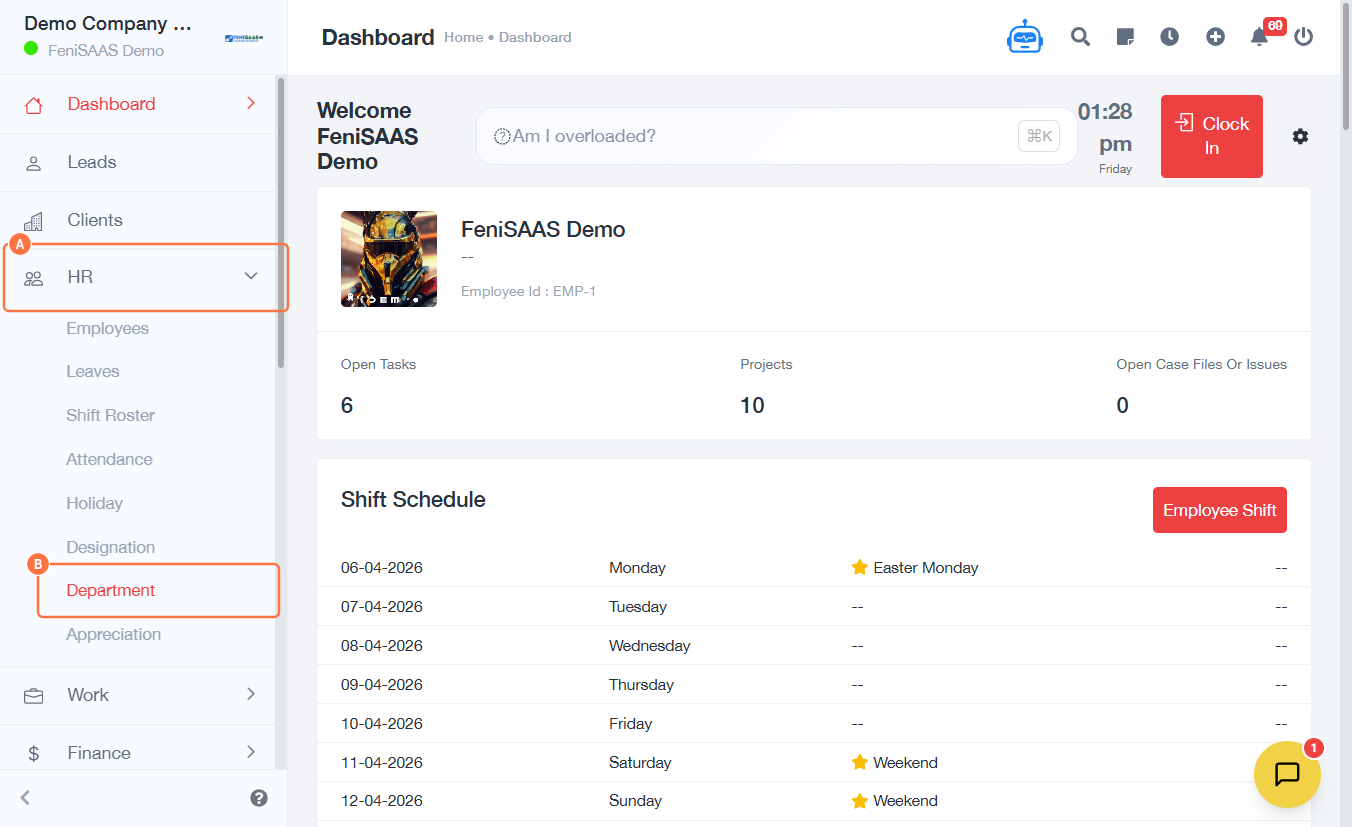
- Go to HR Module
- Click on Department
- Click on Add Department
- Enter the department name in the Name field
- Select a parent department from the dropdown if applicable
- Click Save
3. Expected Result
The new department will be successfully created and available for assigning employees within the HR system.
4. Common Errors
- Department name not entered
- Incorrect parent department selected
- Duplicate department entry
- Changes not saved due to network issues
5. FAQs
How do I add a department in HR Module
Navigate to HR, click department, add a new department, fill in details, and save.
What is a parent department
A parent department represents a higher level department in the organizational structure.
Can I create multiple departments
Yes, you can add as many departments as needed.
Can I edit a department after creating it
Yes, depending on system permissions, you can update existing departments.
Why is my department not saving
Ensure all required fields are filled and there are no duplicates.