How to Add New Asset in The 925worksuite ERP
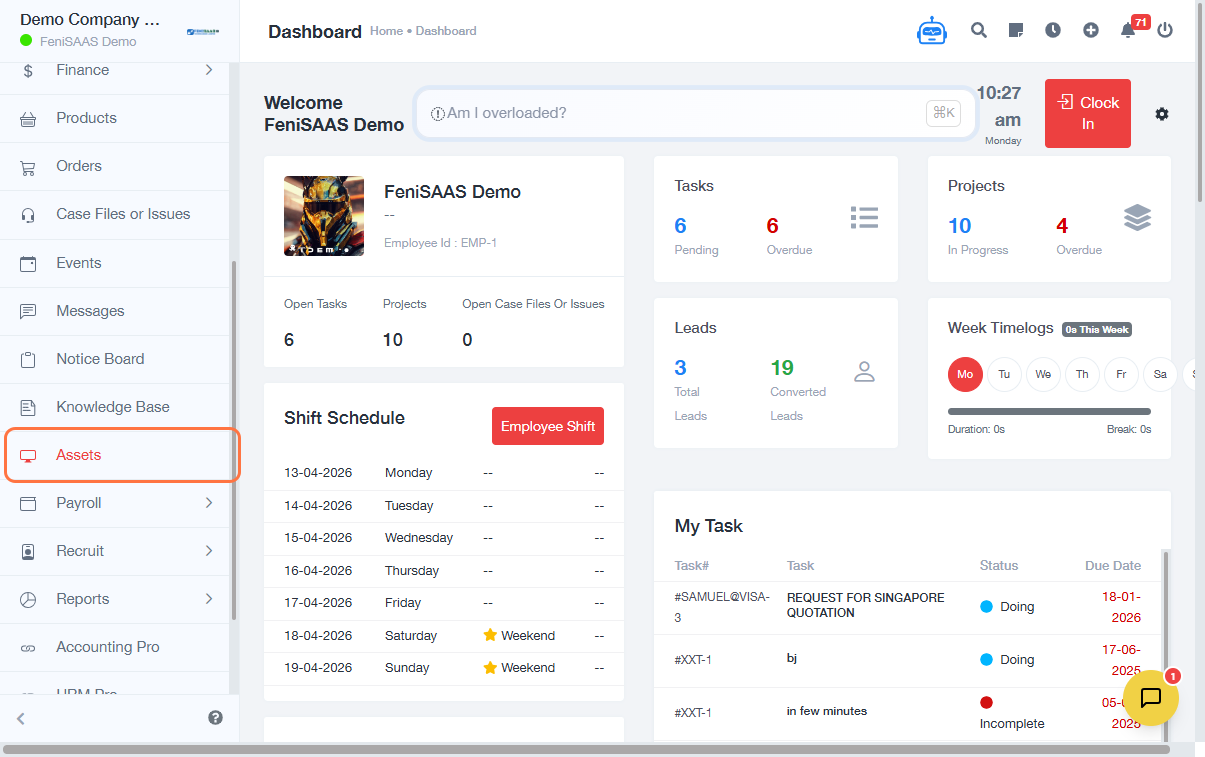
Overview
This guide explains how to add a new asset in the Asset Manager module. This process allows users to record and track company assets, including their value, location, and status.
Steps
- Go to the Assets module
- Click on Add New Asset
-
Fill in Asset Information:
- Enter Asset Name
- Select appropriate Category/Type (if applicable)
- Input Serial Number
- Enter Asset Value
- Specify Location
-
Complete additional details:
- Select Status
- Enter Description
- Click Save
Expected Result
The new asset will be successfully added and visible in the Asset Manager list for tracking and management.
Common Errors
- Missing required fields (e.g., Asset Name, Value)
- Incorrect or duplicate serial number
- Invalid asset value format
- Not selecting asset status before saving
FAQs
1. How do I add an asset in the system?
Follow the steps above to input asset details and save.
2. Can I edit an asset after creating it?
Yes, you can update asset details from the asset list.
3. What happens if I don’t enter a serial number?
If required, the system may prevent saving or create incomplete records.
4. Can I assign a location to an asset?
Yes, location is part of the asset information form.
5. Why is my asset not saving?
Check for missing required fields or invalid data entries.