How to Export Reports in The 925worksuite ERP
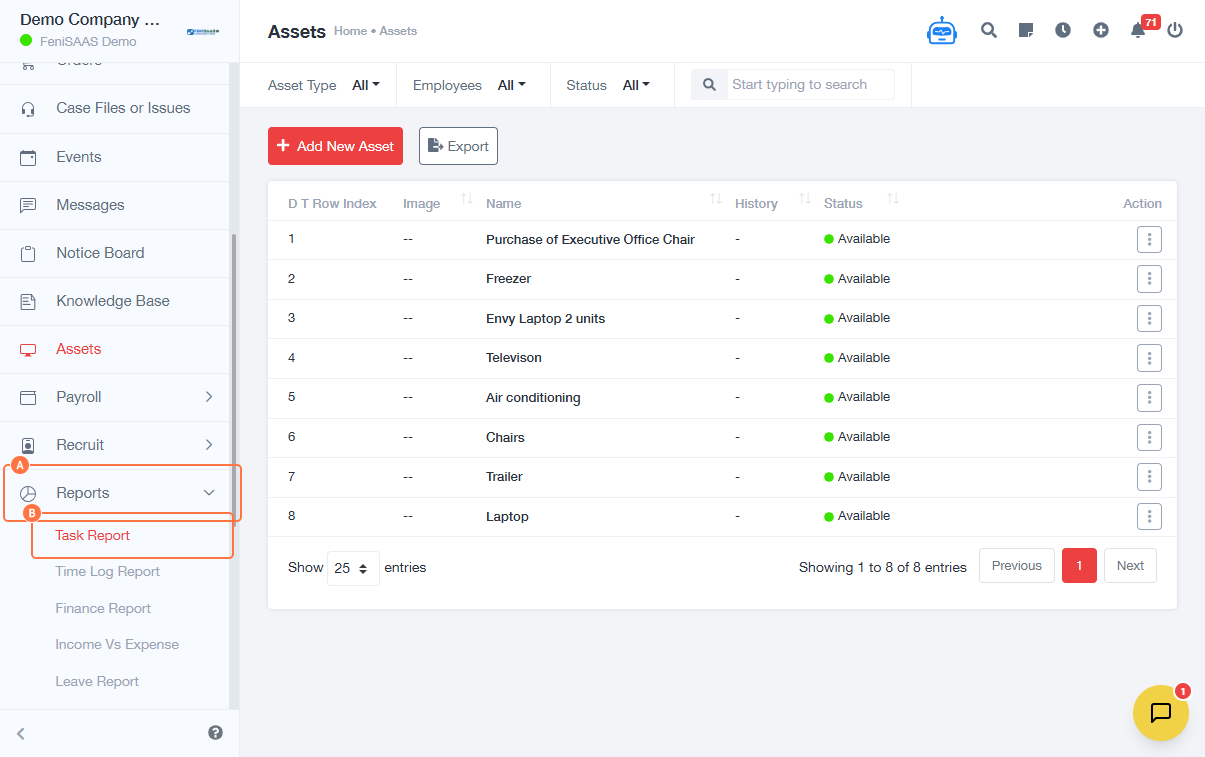
Overview
This guide explains how to export different types of reports from the Task Dashboard. Users can generate reports such as task reports, time logs, finance reports, attendance reports, sales reports, and lead reports for analysis and record-keeping.
Steps
- Go to Reports
- Click on Task Report
-
Export Time Log Report:
- Click Export
- Select Time Log Report
-
Export Finance Report:
- Select Duration
- Click Export
-
Export Attendance Report:
- Click Export
- Select Attendance Report
-
Export Sales Report:
- Click Export
- Select Sales Report
-
Export Lead Report:
- Click Lead Report
- Select Duration
- Click Export
Expected Result
The selected report will be downloaded/exported successfully based on the chosen report type and duration.
Common Errors
- Not selecting a duration before exporting
- Clicking export without choosing a report type
- Download not starting due to browser restrictions
- Insufficient permissions to access certain reports
FAQs
1. How do I export reports in the system?
Go to Reports, select a report type, and click Export.
2. Can I export multiple report types?
Yes, each report type can be exported individually.
3. Why is my export not working?
Ensure you selected a duration and the correct report type.
4. What formats are reports exported in?
This depends on the system configuration (commonly Excel or CSV).
5. Can I filter reports before exporting?
Yes, using duration or available filters.