How to Submit Orders in Orders Module (925Worksuite ERP)
Overview
This guide explains how to create and submit a new order in the Orders module. Submitting orders ensures accurate order tracking, processing, and communication with clients.
Steps
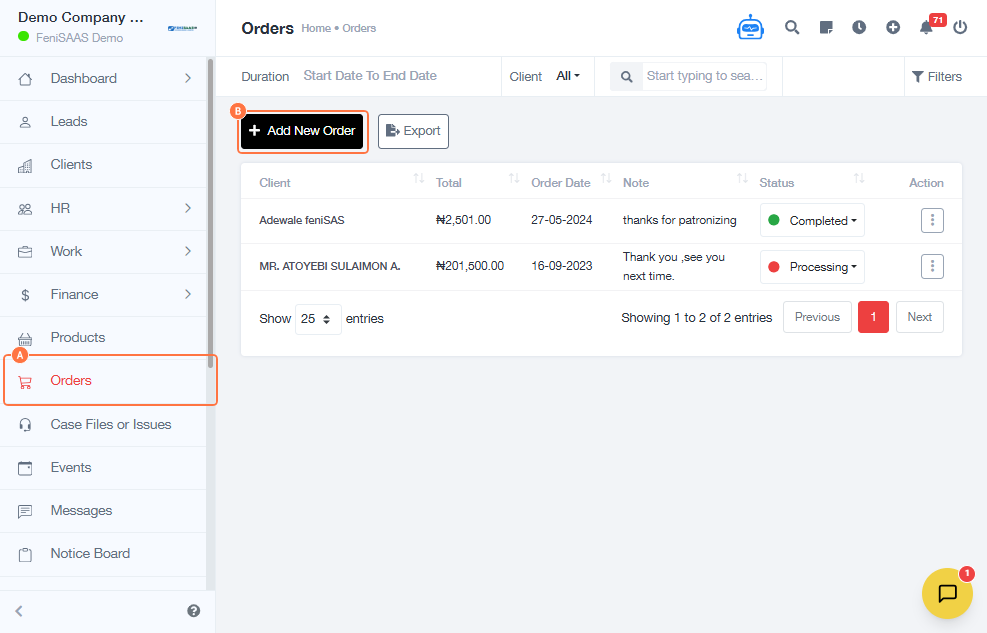
- Go to the Orders Module
- Click on Orders
- Click on Add New Order
- Enter the Order Number
- Select the order status (e.g., Pending)
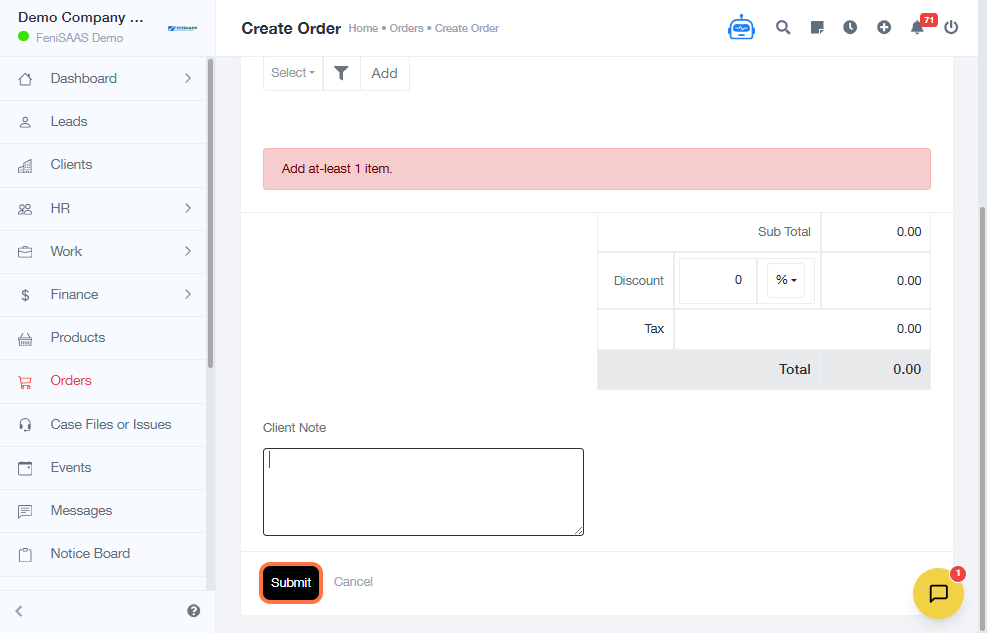
- Add details in the Client Note field (optional but recommended)
- Click Submit
Expected Result
👉 The order will be successfully submitted and recorded in the system with the selected status.
Common Errors
• Order number not entered
• Forgetting to click Submit
• Leaving required fields empty
• Selecting incorrect order status
• Incomplete client note (if required by process)
FAQs
• How do I create and submit an order?
Go to Orders → Add New Order, fill in the required details, and click Submit.
• Can I edit an order after submitting?
Yes, depending on your permissions, you can update order details after submission.
• What does “Pending” status mean?
It indicates the order has been created but not yet processed.
• Is the client note mandatory?
It depends on your organization’s workflow, but it is recommended for clarity.