How to Update Lead Status Using Kanban Board 925worksuite ERP
Overview
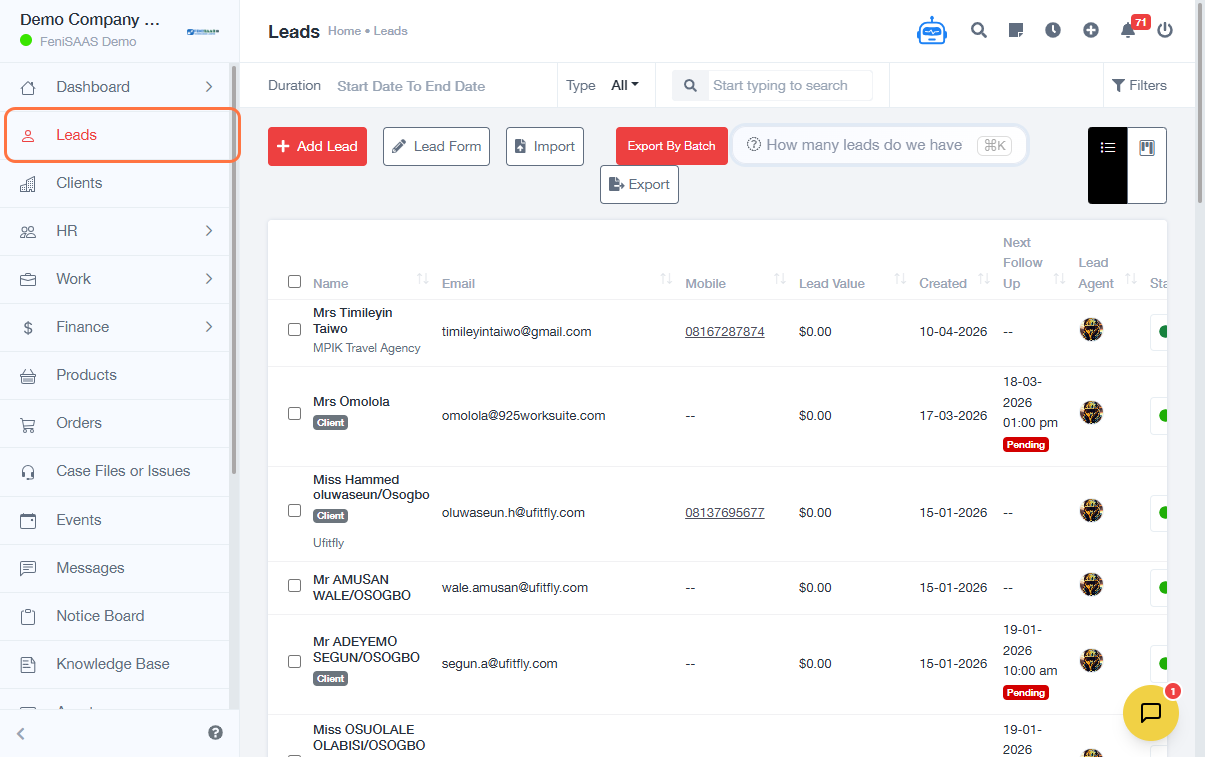
This guide explains how to update lead status using the Kanban Board in the ERP system. Users can manage lead progress, create status columns, and update lead stages visually for better pipeline tracking.
Steps
A. Access Kanban Board
- Go to Leads
- Click on Kanban Board
B. Add or Configure Lead Status Columns
- Click on Add Status Column
- Enter or select Lead Status
- Click Save
C. Add or Manage Leads
- Click on Add Lead (if creating a new lead)
D. Update Lead Status Settings
- Click on Settings
- Select Lead Settings
- Click on Lead Status
- Click Edit
- Select or update the desired Status Value
- Click Save
Expected Result
Lead statuses will be successfully updated and reflected on the Kanban Board, allowing better tracking of lead progress across different stages.
Common Errors
- Not saving after adding or editing a status
- Creating duplicate or unclear status names
- Not selecting the correct status before saving
- Permission restrictions are preventing edits
- Confusion between Kanban updates and settings configuration
FAQs
1. How do I update lead status in the system?
Use the Kanban Board or Lead Settings to modify and assign statuses.
2. Can I create new lead status columns?
Yes, click on “Add Status Column” in the Kanban Board.
3. Why is my lead status not updating?
Ensure you clicked Save after making changes.
4. Can I edit existing lead statuses?
Yes, go to Settings → Lead Settings → Lead Status and click Edit.
5. What is the Kanban Board used for?
It provides a visual way to track and manage lead stages.