How to Add Notice in Notice Board
Overview
This guide explains how to create and publish an employee notice in the Notice Board module. Notices are used to communicate important updates, announcements, and information to employees.
Steps
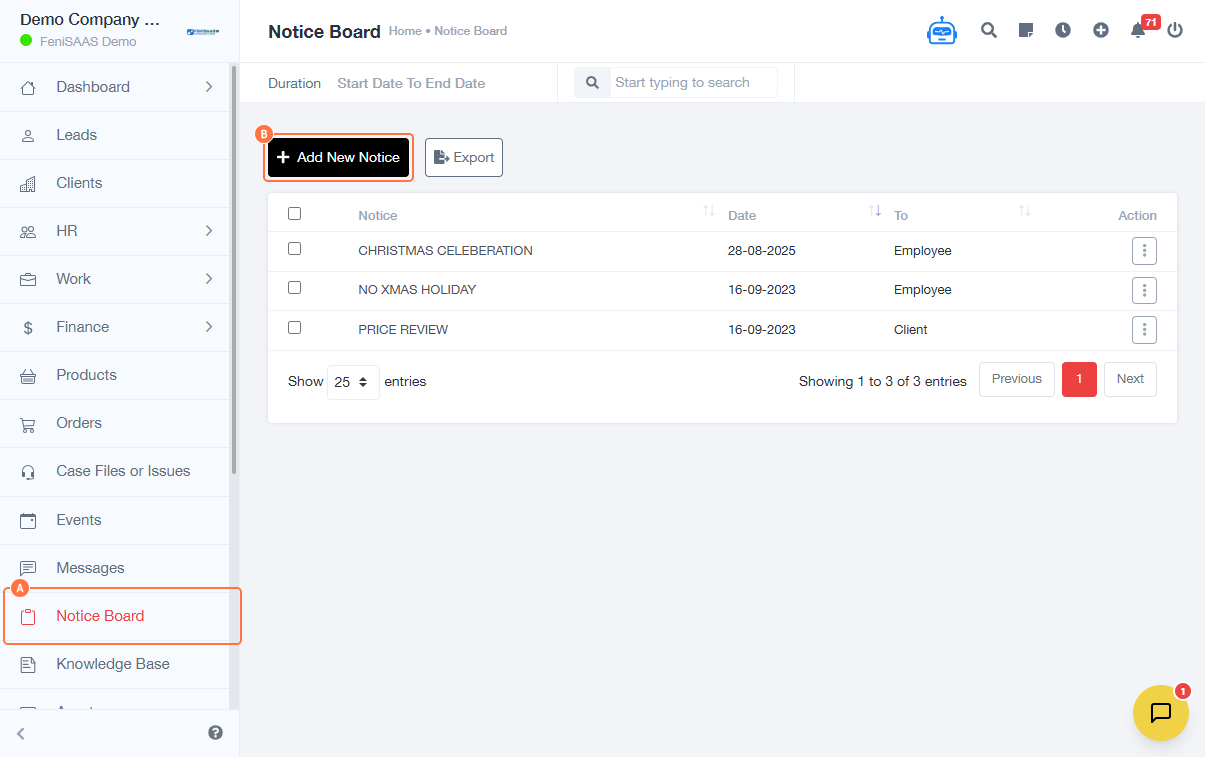
- Go to the Notice Board
- Click on Add New Notice
-
Enter notice details:
- Select recipients under To Employees
- Enter Notice Heading
- Enter Notice Details
- Click Save
Expected Result
The notice will be successfully created and displayed on the Notice Board for selected employees.
Common Errors
- Not selecting recipients (employees)
- Leaving the notice heading or details empty
- Insufficient permissions to create notices
- Not clicking Save after entering details
FAQs
1. How do I create a notice for employees?
Go to the Notice Board, click Add New Notice, fill in the details, and save.
2. Can I send a notice to specific employees only?
Yes, select recipients in the “To Employees” field.
3. Can I edit a notice after posting it?
Yes, notices can be updated from the Notice Board.
4. Why is my notice not visible?
Ensure you selected the correct recipients and saved the notice.
5. What is the purpose of the Notice Board?
It is used to share announcements and updates with employees.