How to Add Knowledge Base Article in 925worksuite ERP
Overview
This guide explains how to create and publish a knowledge base article for employees using the CMS. This helps organizations document processes, guides, and internal information for easy access.
Steps
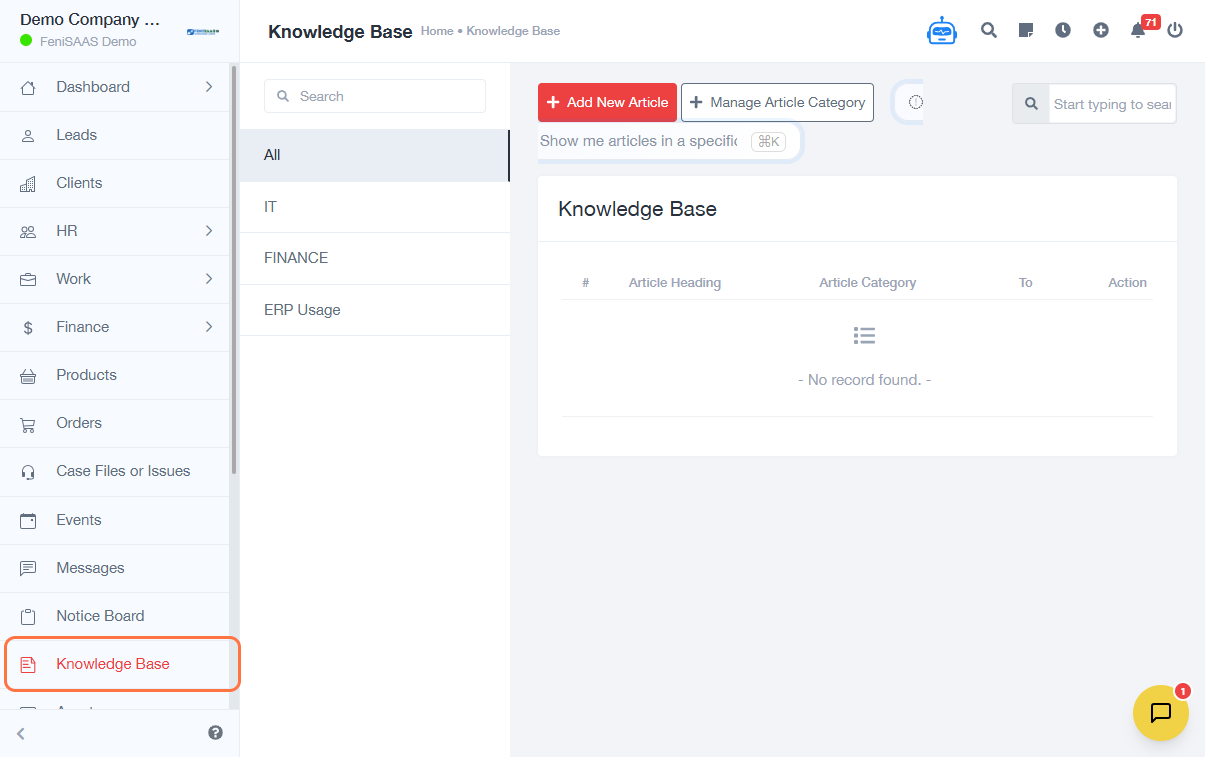
- Go to Knowledge Base
- Click on Add New Article
-
Enter article details:
- Select For Employees
- Enter Article Heading
- Add relevant item/section (if applicable) and click Add
-
Assign category:
- Select Category Name
- Click Save
-
Add content:
- Enter Description
- Upload supporting files (if required)
- Click Save
Expected Result
The knowledge base article will be successfully created and made available to employees under the selected category.
Common Errors
- Not selecting the correct audience (Employees)
- Missing article heading or description
- Not assigning a category
- Forgetting to save after adding content
- Uploading unsupported file formats
FAQs
1. How do I create a knowledge base article?
Go to Knowledge Base, click Add New Article, fill in the details, and save.
2. Can I upload files to an article?
Yes, you can attach supporting documents.
3. Who can see employee knowledge base articles?
Only employees, based on system permissions.
4. Can I edit an article after publishing?
Yes, articles can be updated anytime.
5. Why is my article not visible?
Ensure the correct category and audience are selected.