How to Add Allowances and Deductions in Payroll in 925Worksuite ERP
Overview
This guide explains how to add allowances (increments) and deductions to an employee’s salary within the Payroll module. This ensures accurate salary computation by including additional earnings or deductions.
Steps
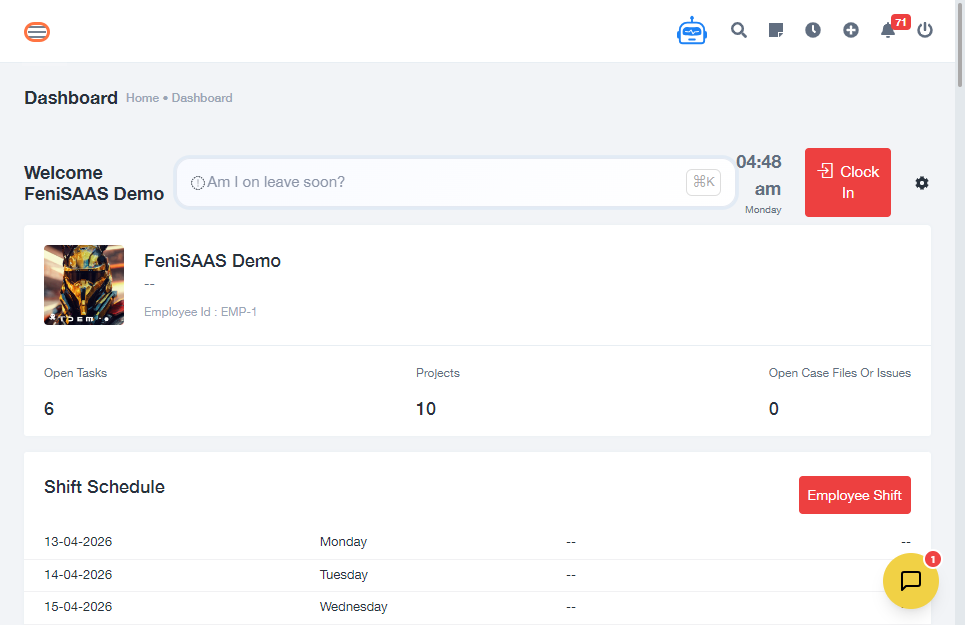
- Go to the Dashboard
-
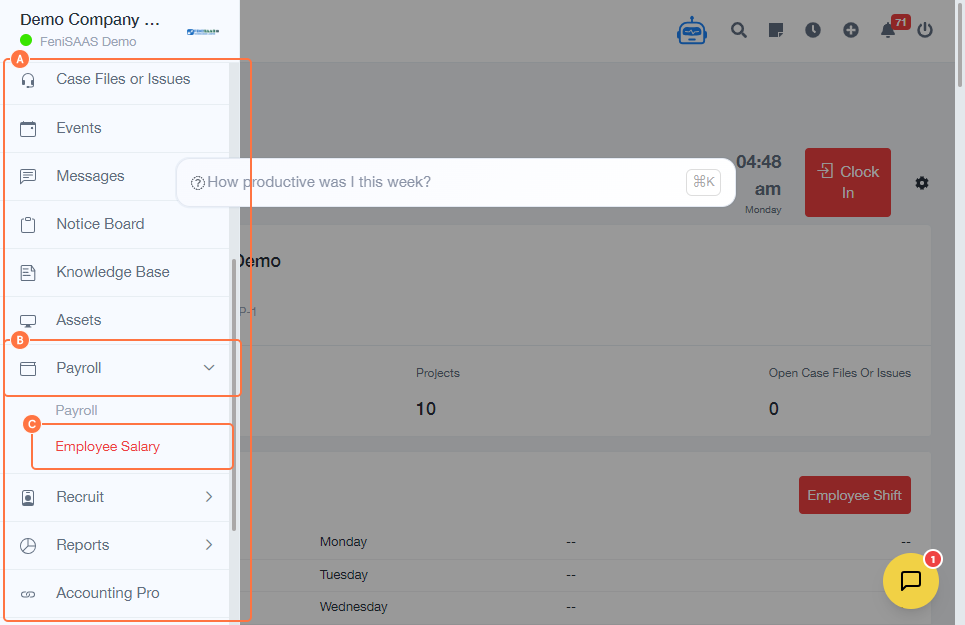
Navigate to:
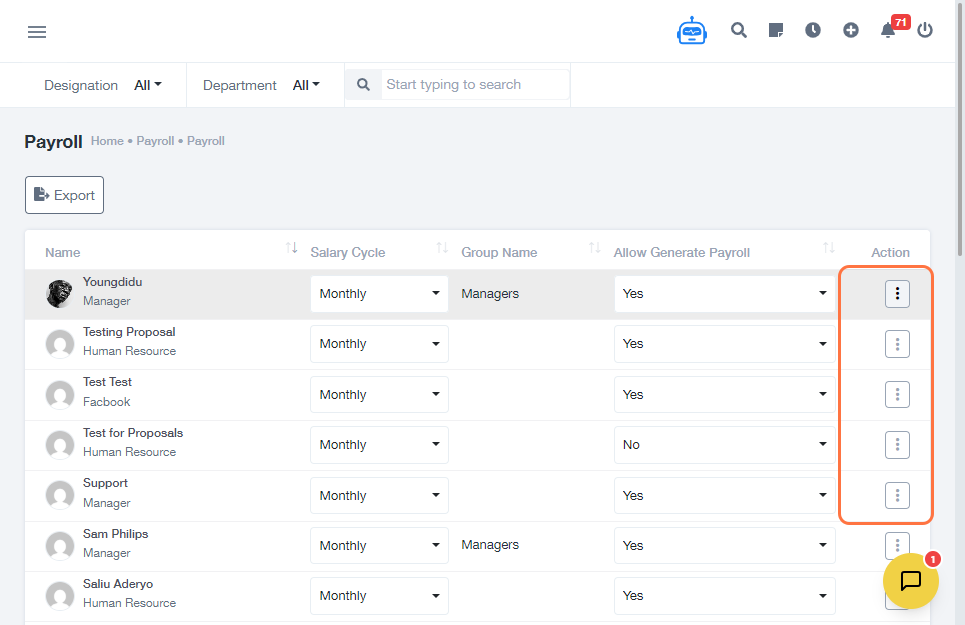
- Payroll
- Click on Employee Salary
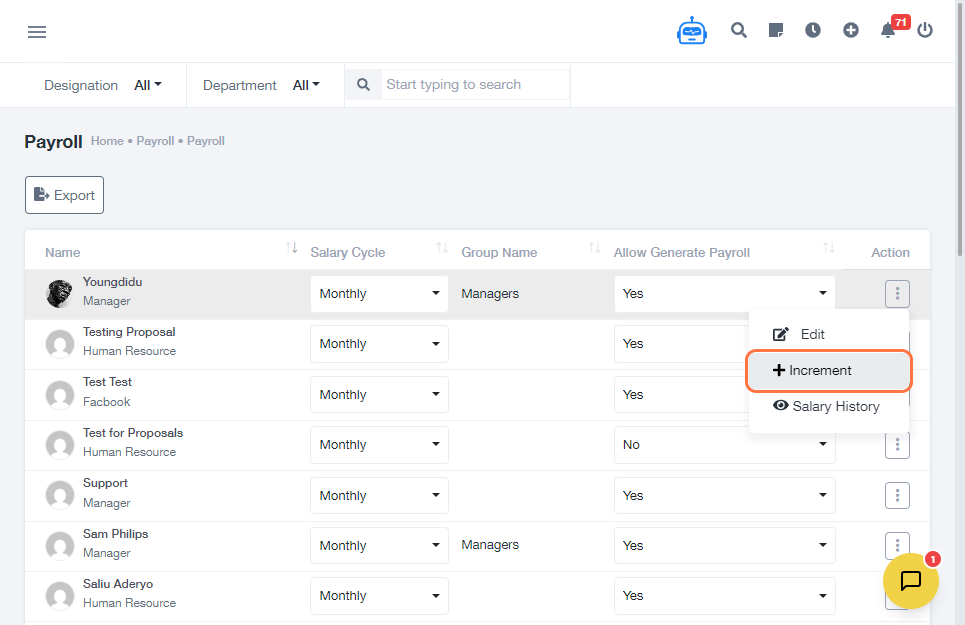
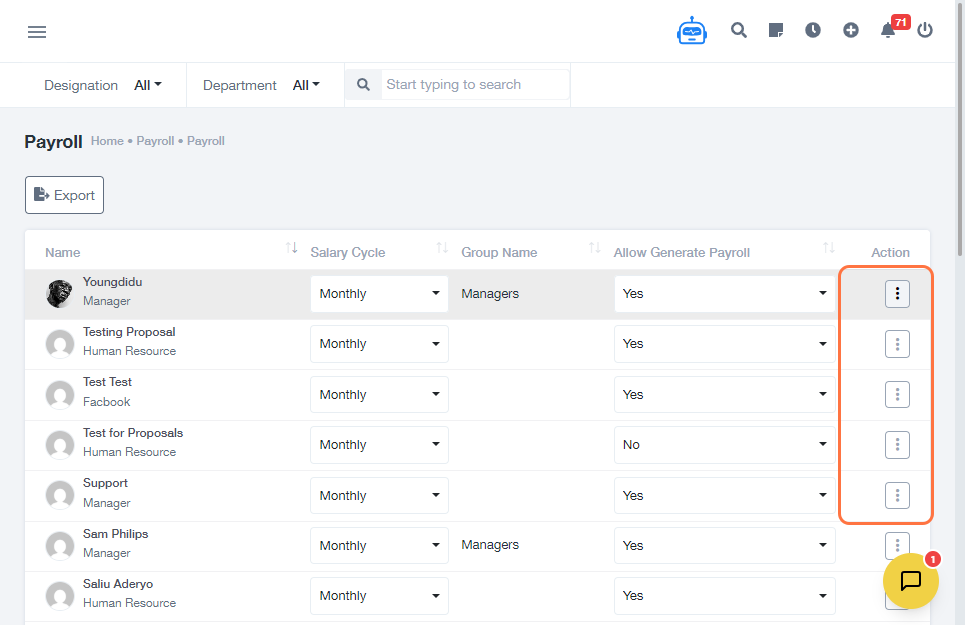
- Select the employee or salary option you want to update
- Click on Increment
-
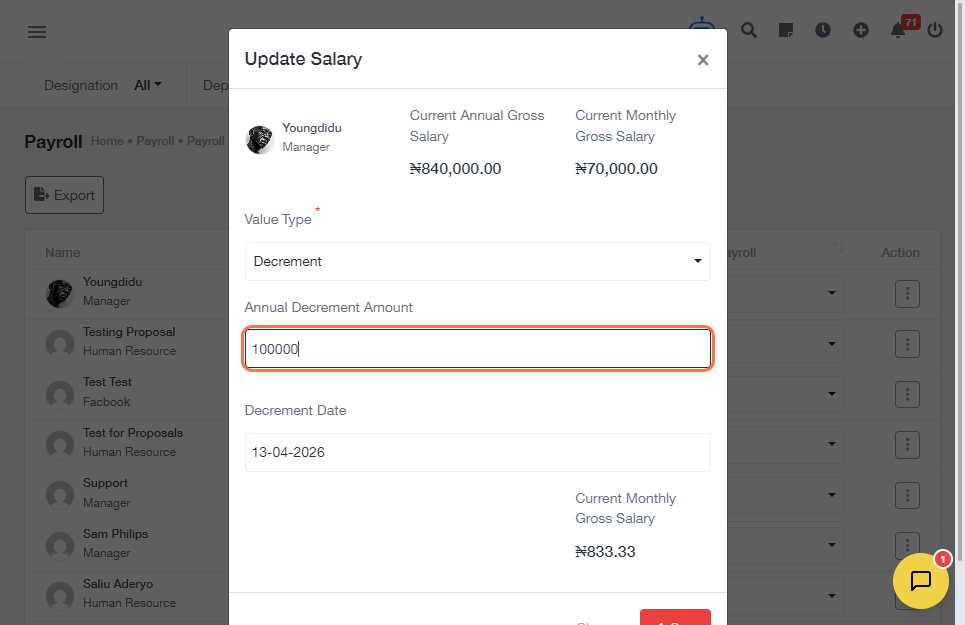
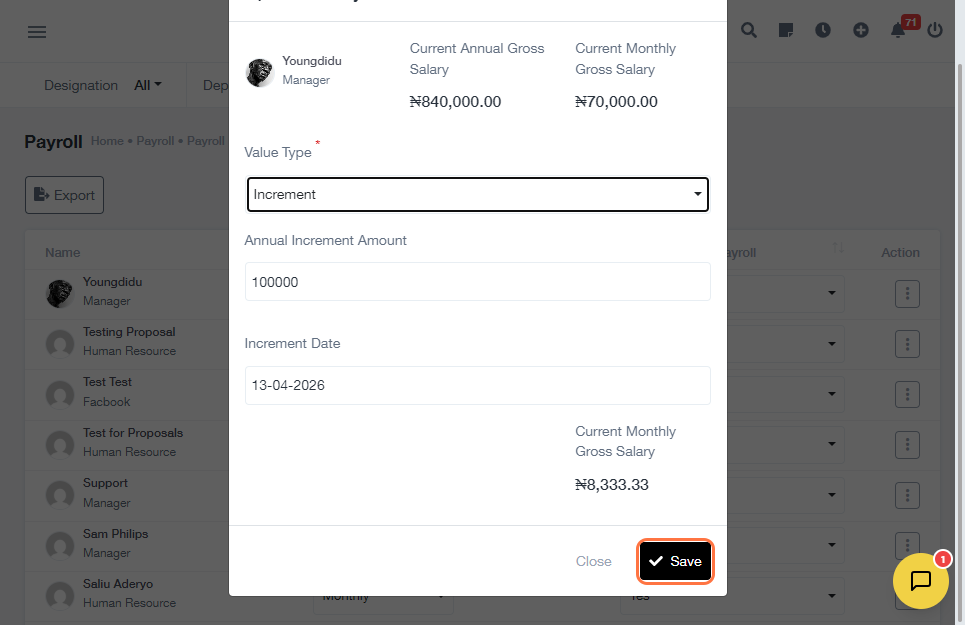
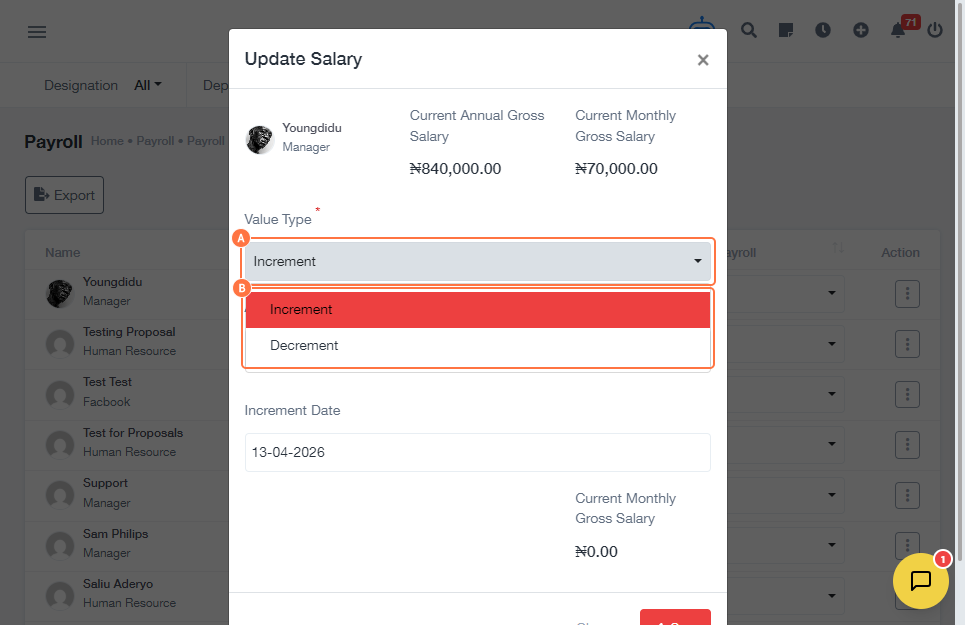
Choose the type:
- Increment (Allowance)
- Deduction
-
Enter the Annual Amount:
- If it is a deduction → enter decrement amount
- If it is an allowance → enter increment amount
- Click Save
Expected Result
The selected allowance or deduction will be successfully applied to the employee’s salary and reflected in payroll calculations.
Common Errors
- Not selecting the correct employee before applying changes
- Entering incorrect amount format (e.g., text instead of numbers)
- Choosing the wrong type (increment instead of deduction or vice versa)
- Forgetting to click Save after entering details
FAQs (Search Boost Section)
1. How do I add allowance to employee salary?
Follow the steps above and select Increment when choosing the type.
2. How do I deduct from employee salary?
Select Deduction and input the decrement amount.
3. Can I edit an allowance or deduction later?
Yes, you can revisit the employee salary section and update the values.
4. Why is my allowance not reflecting?
Ensure you clicked Save and selected the correct employee.
5. Is the amount monthly or annual?
The system requires an annual amount, which is applied accordingly.