How to Add Department in HR (925Worksuite ERP)
Overview
This guide explains how to create and manage departments within the HR module. Departments help organize employees into functional units and support better reporting and structure within the system.
Steps
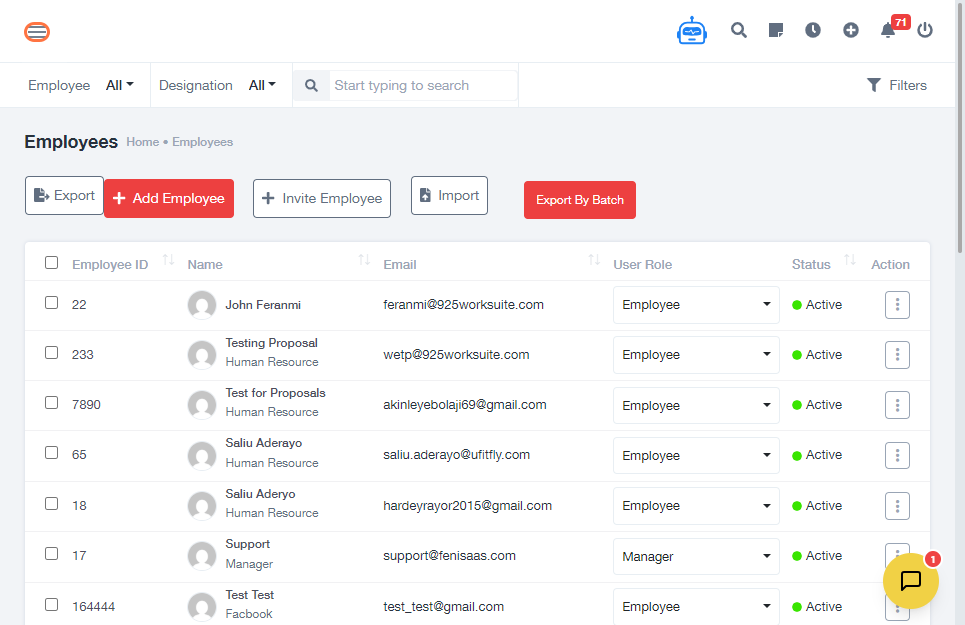
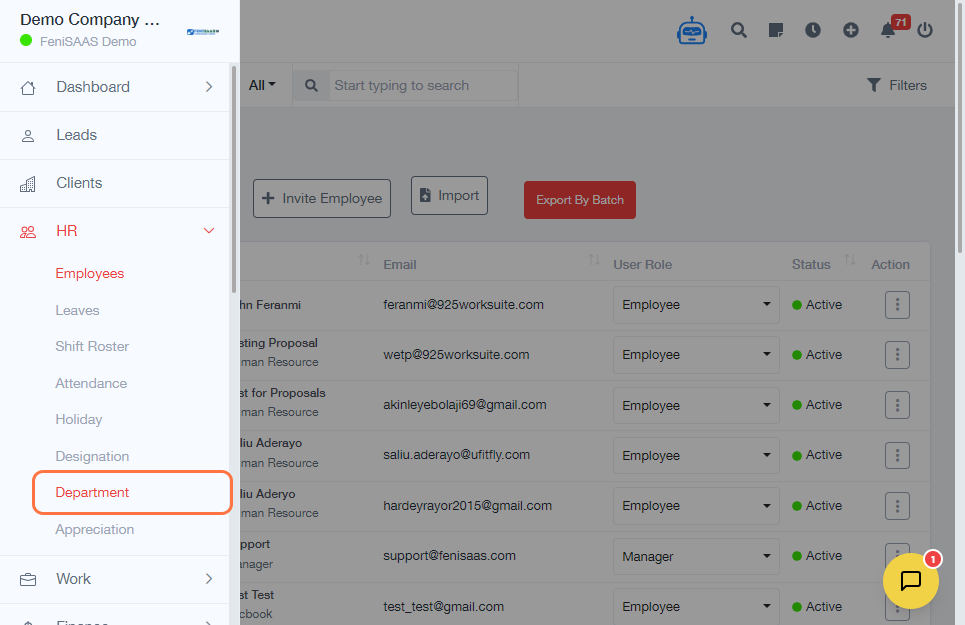
- Go to the Dashboard
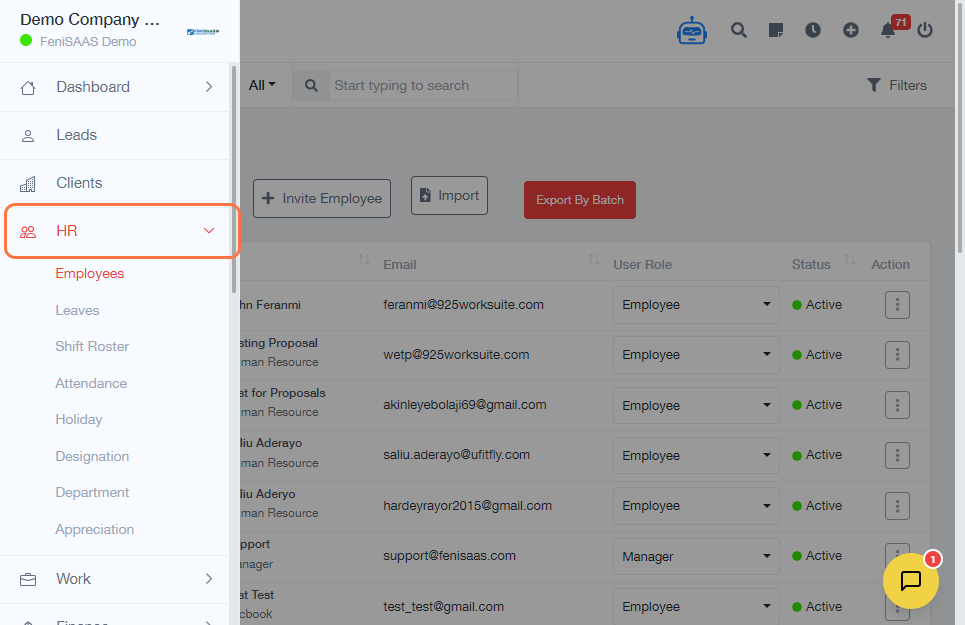
- Click on HR
- Select Department
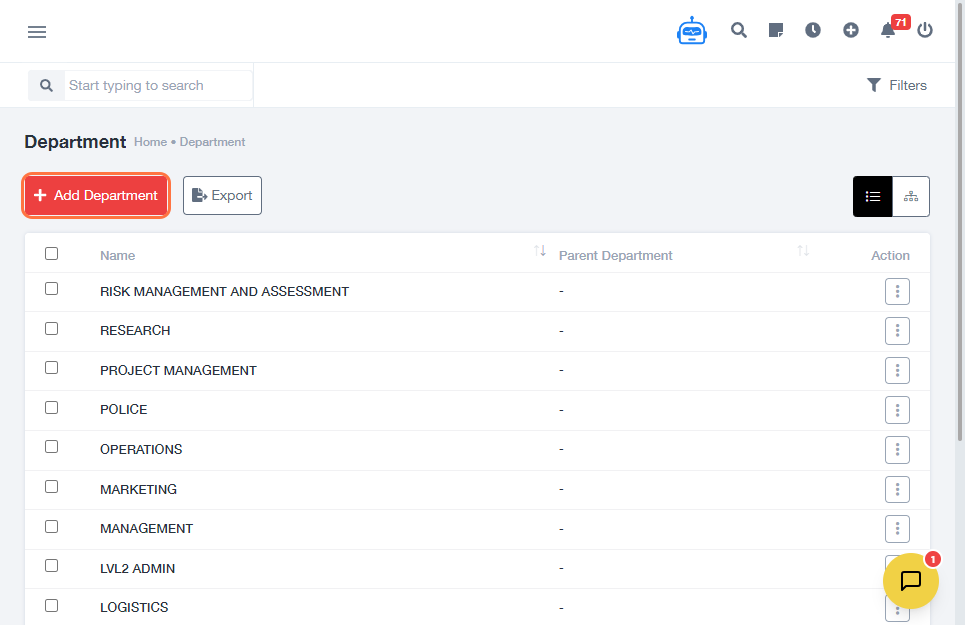
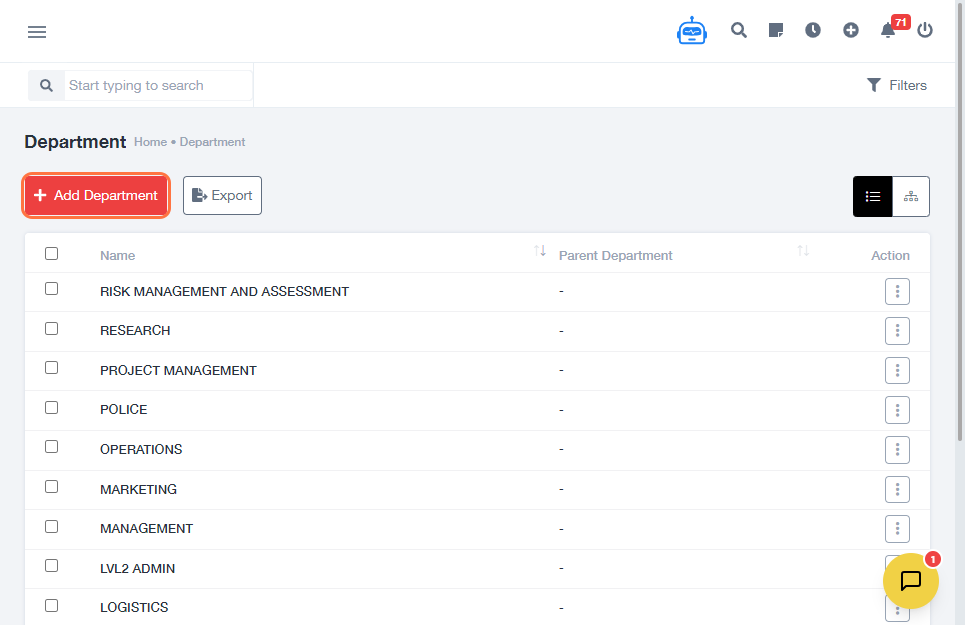
- Click on Add Department
-
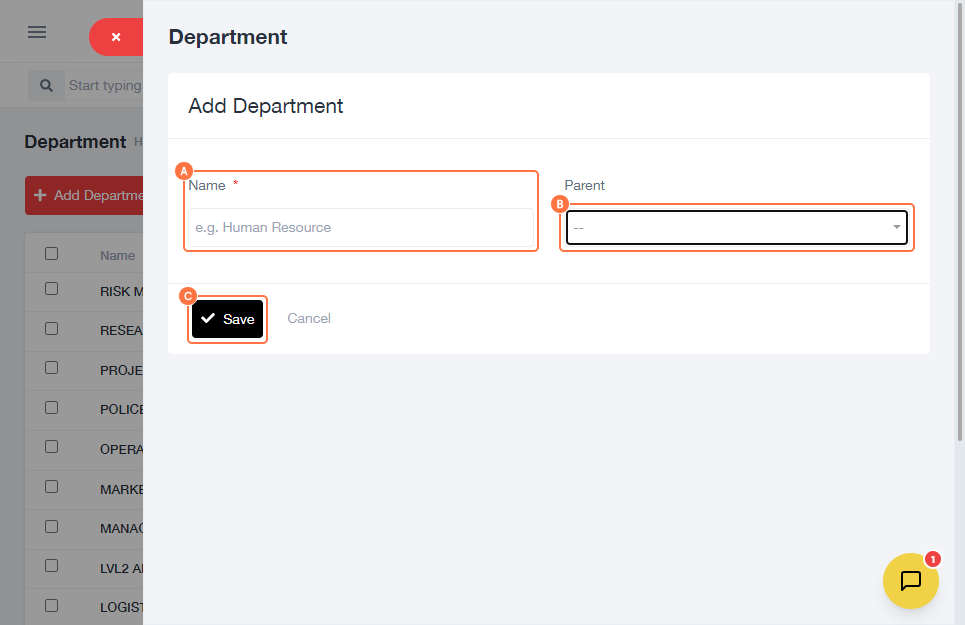
Enter the required details:
- Input Department Name
- (Optional) Select Parent Department if this department falls under another
- If it is a standalone department, leave the parent field empty
- Click Save
Expected Result
The new department will be successfully created and available for assignment to employees within the HR module.
Common Errors
- Leaving the department name empty
- Selecting the wrong parent department
- Creating duplicate department names
- Forgetting to click Save
FAQs (Search Boost Section)
1. How do I create a department in HR?
Follow the steps above and enter the department details before saving.
2. Can I create sub-departments?
Yes, select a parent department to create a hierarchy.
3. What happens if I don’t select a parent department?
The department will be created as a standalone unit.
4. Can I edit a department after creating it?
Yes, you can update department details from the Department section.
5. Why is my department not showing?
Ensure you saved the entry and refresh the page if needed.