How to Create Products in Product & Services (Accounting Pro)
Overview
This guide explains how to create products or services in the Accounting dashboard. Adding products allows you to manage inventory, pricing, and link items to income and expense accounts for accurate financial tracking.
Steps
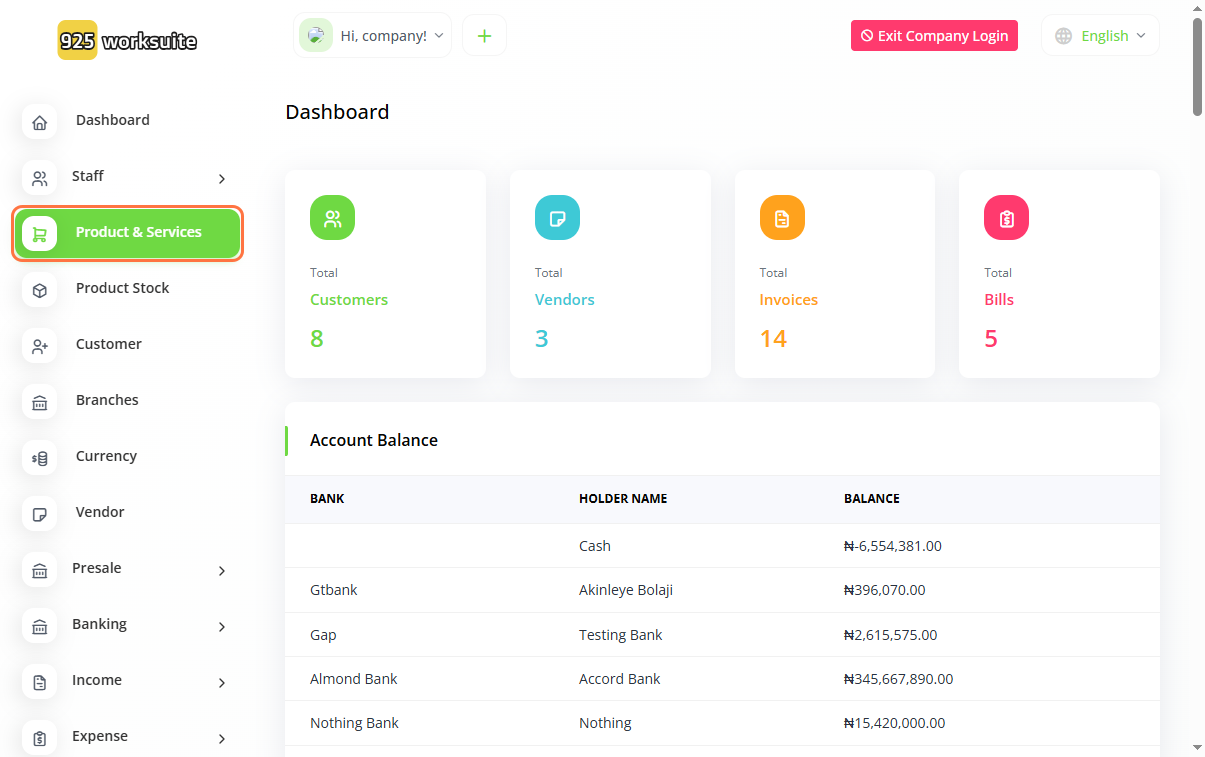
- Go to Product & Services
- Click on Create
-
Enter product details:
- Input Name
- Enter SKU (Stock Keeping Unit)
- Add Sale Price
- Add Purchase Price
- Select Income Account
- Select Expense Account
-
Provide additional information:
- Select Category
- Select Unit
- Enter Quantity
- Choose Type (Product or Service)
- Click Create
Expected Result
The product or service will be successfully created and available for use in invoices, sales, and inventory management.
Common Errors
- Leaving required fields (Category, Unit) empty
- Entering incorrect pricing values
- Not selecting income or expense accounts
- Using duplicate SKU values
- Forgetting to click Create
FAQs
1. How do I add a product in accounting?
Go to Product & Services and click Create, then fill in the product details.
2. What is SKU and is it required?
SKU is a unique identifier for products. It is recommended for tracking, but it may depend on system settings.
3. Can I create a service instead of a product?
Yes, select the appropriate type (Service) when creating the item.
4. Why do I need income and expense accounts?
They ensure transactions are correctly recorded in your financial reports.
5. Can I edit a product after creating it?
Yes, you can update product details anytime from the Product & Services list.