How to Generate and Send Payslip in Payroll (925Worksuite ERP)
Overview
This guide explains how to generate payroll for employees and send payslips within the Payroll module. It allows you to calculate salaries based on selected criteria and distribute payroll information to employees efficiently.
Steps
- Go to the Dashboard
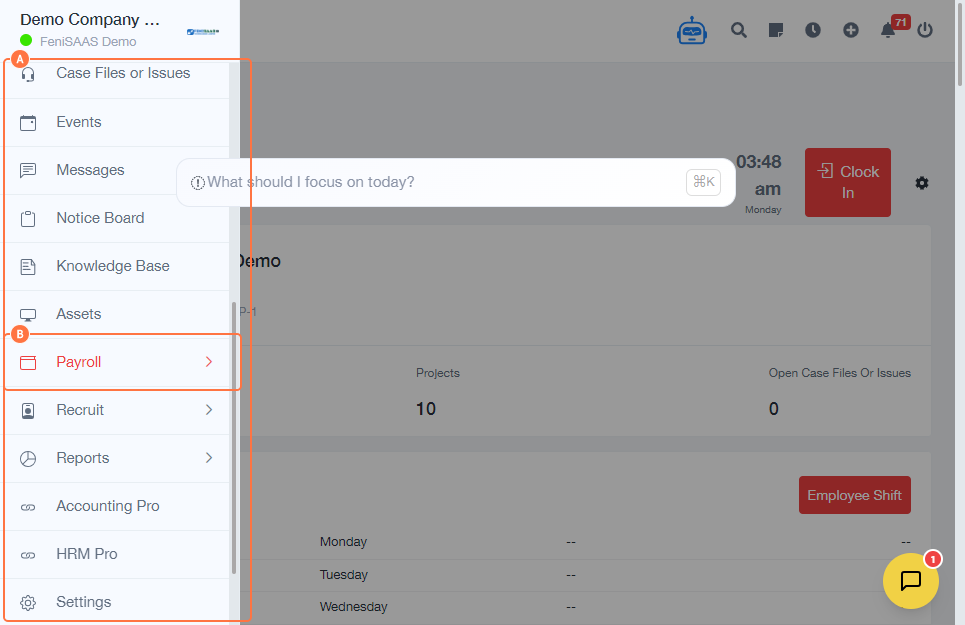
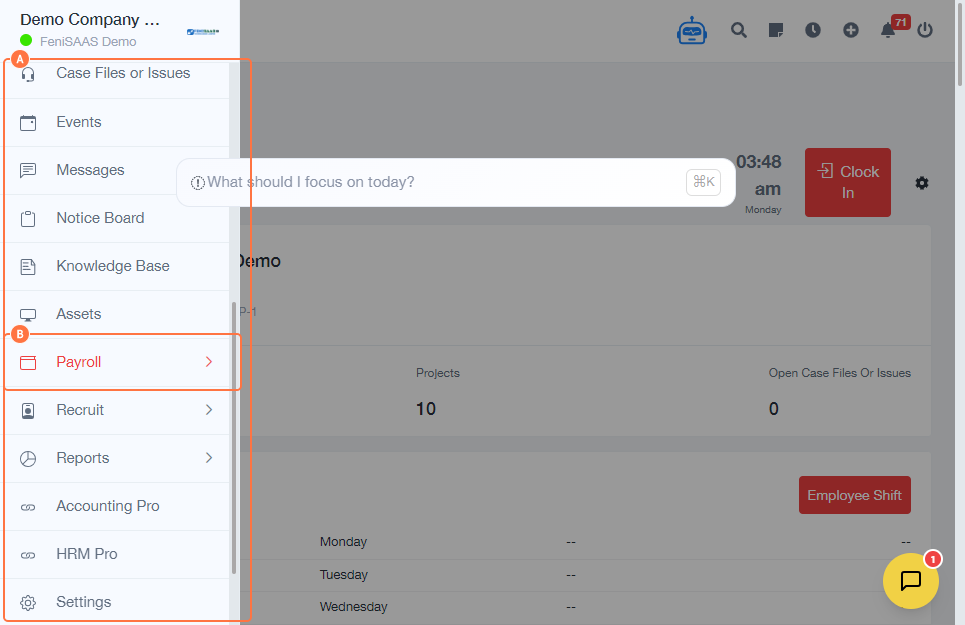
- Navigate to the sidebar and click on Payroll
- Click on Payroll again to open the payroll module
-
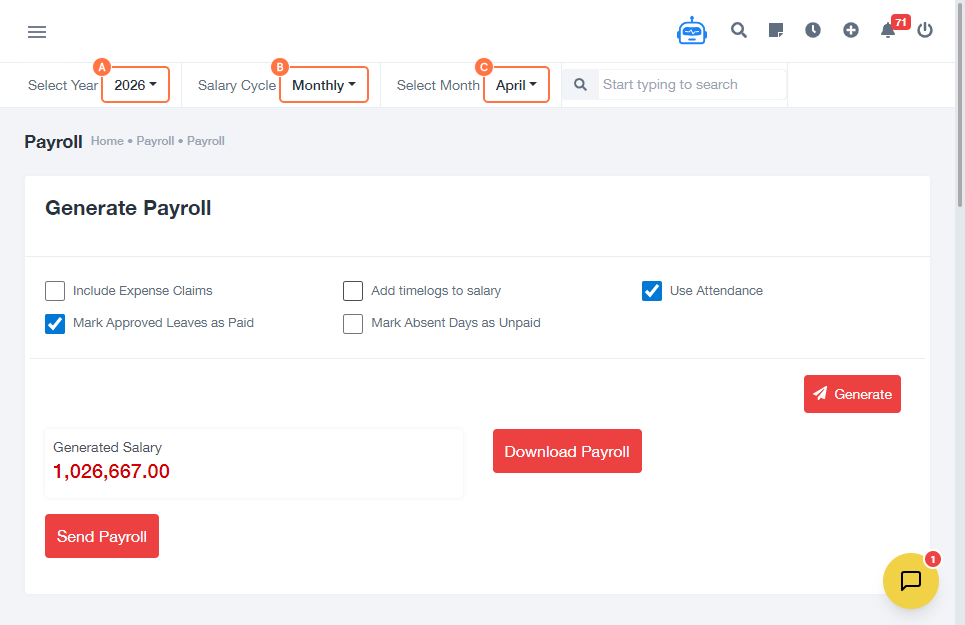
Configure payroll settings:
- Select Year
- Select Cycle (Monthly or Weekly)
- Select Month
-
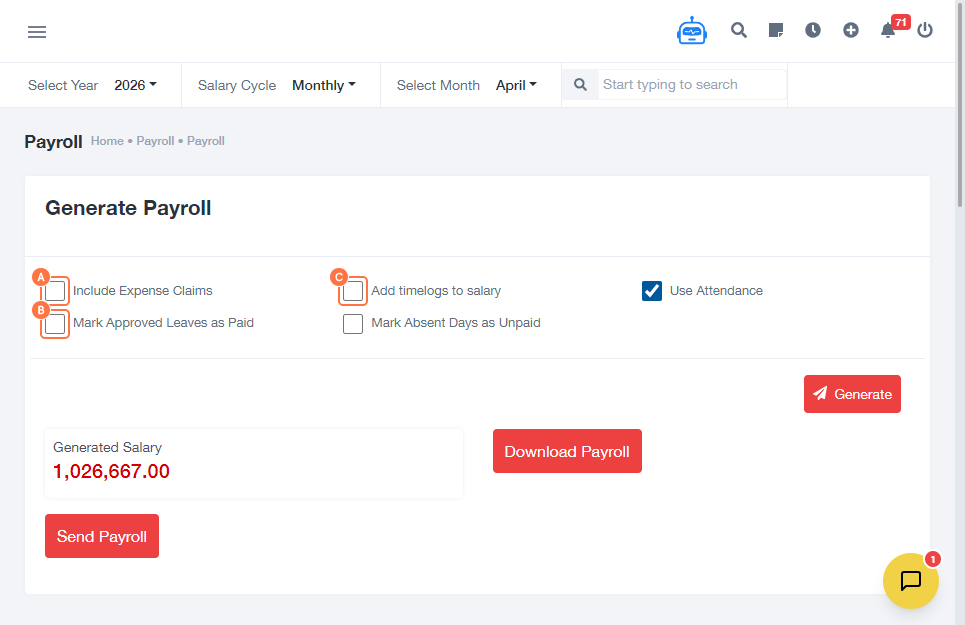
(Optional) Select additional options if needed:
- Include Expense Claims
- Mark Approved Leaves as Paid
- Add Timelogs to Salary
-
(Optional) Configure attendance settings:
- Use Attendance
- Mark Absent Days as Unpaid
-
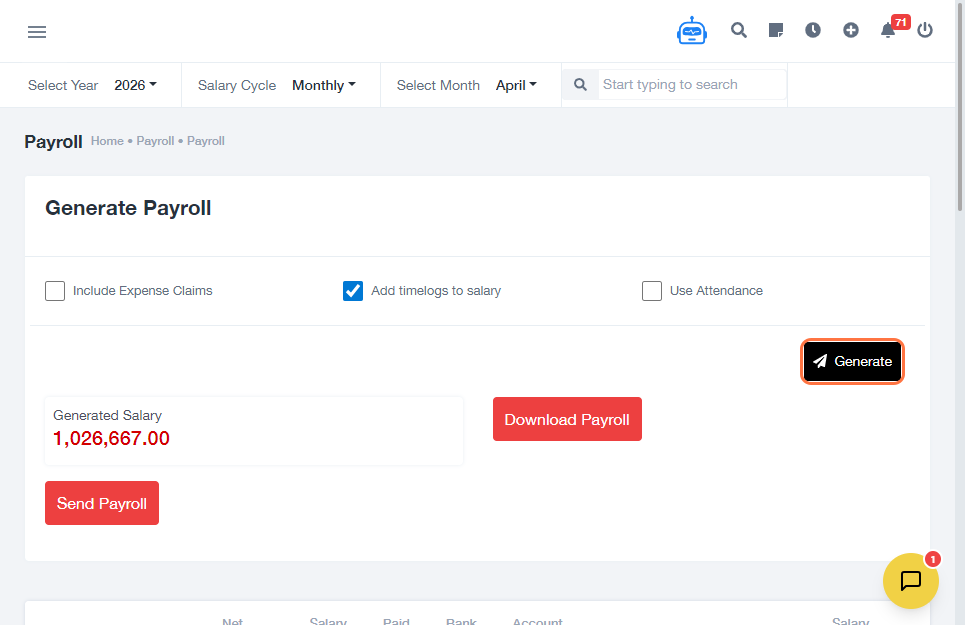
Click on Generate
- Scroll down to review calculated salaries for each employee
-
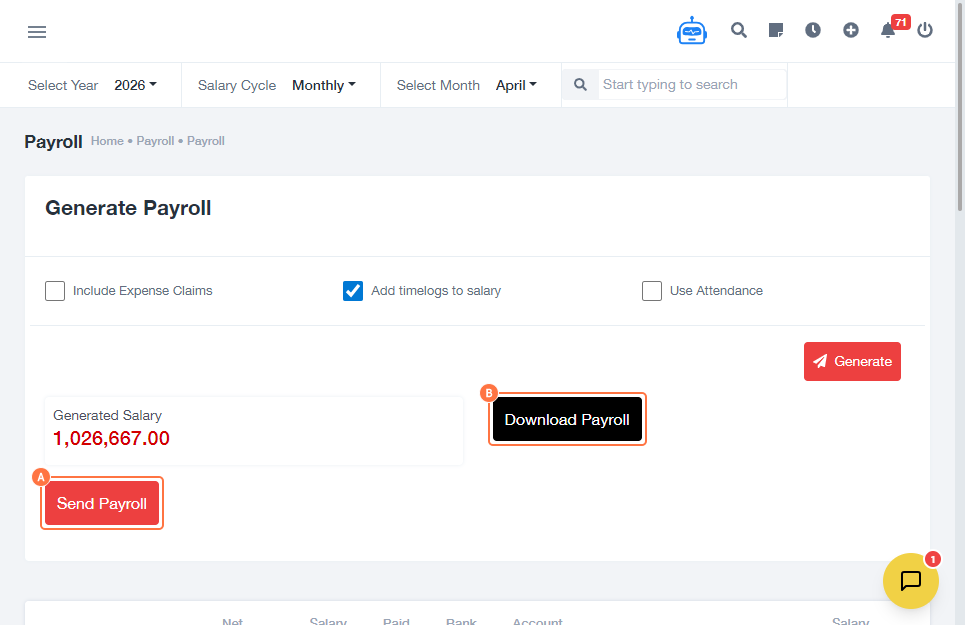
Finalize payroll:
- Click Send Payroll to distribute payslips to employees
- Click Download Payroll to export payroll data
Expected Result
Payroll is successfully generated based on selected configurations, and employees receive their payslips or payroll data is downloaded for record-keeping.
Common Errors
- Payroll not generating due to missing salary structure
- Incorrect payroll cycle or month selection
- Employees not appearing due to incomplete setup
- Attendance or timelog conflicts affecting salary calculations
- Payslips not sent due to disabled employee login
FAQs
1. Can I generate payroll for past months?
Yes, you can select any previous month and year before generating payroll.
2. Why is my payroll calculation incorrect?
Check salary structure, attendance settings, and included options like timelogs or leave.
3. Can I download payroll instead of sending it?
Yes, use the Download Payroll option to export the file.
4. Do employees automatically receive payslips?
Only if you click Send Payroll and employee login/email is enabled.
5. Can I include attendance in payroll calculation?
Yes, enable the Use Attendance option during setup.