Knowledge Article
How to Track Daily Sales and management in 925POS
0
0
Overview
This guide explains how to view and track daily sales in 925POS. The Daily Sales page provides a summary of all transactions for the day, helping you monitor performance and reconcile sales easily.
Step-by-Step Guide
Step 1: Navigate to Sales
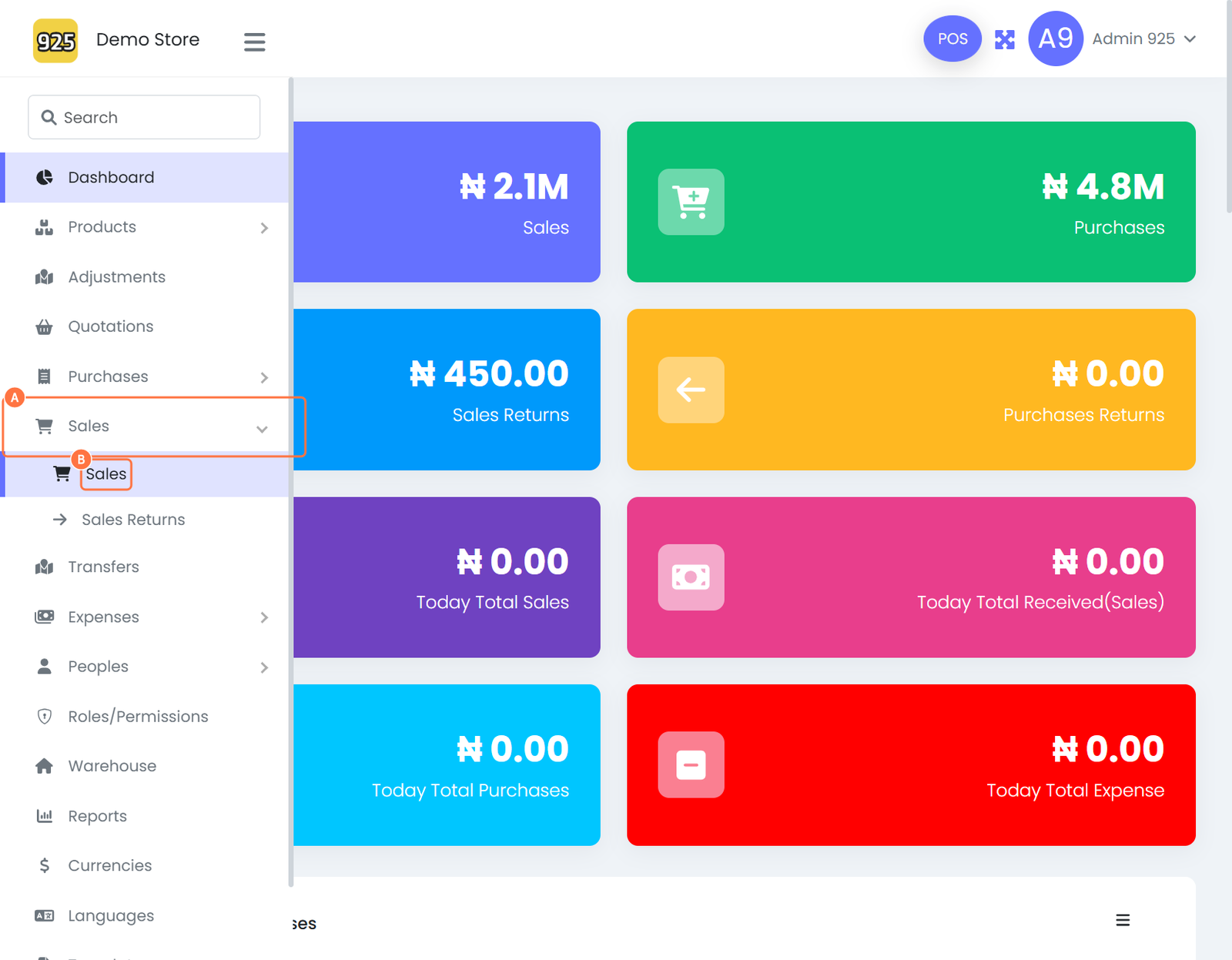
- From the dashboard, click on Sales
- Select Sales from the dropdown menu
Step 2: View Daily Sales
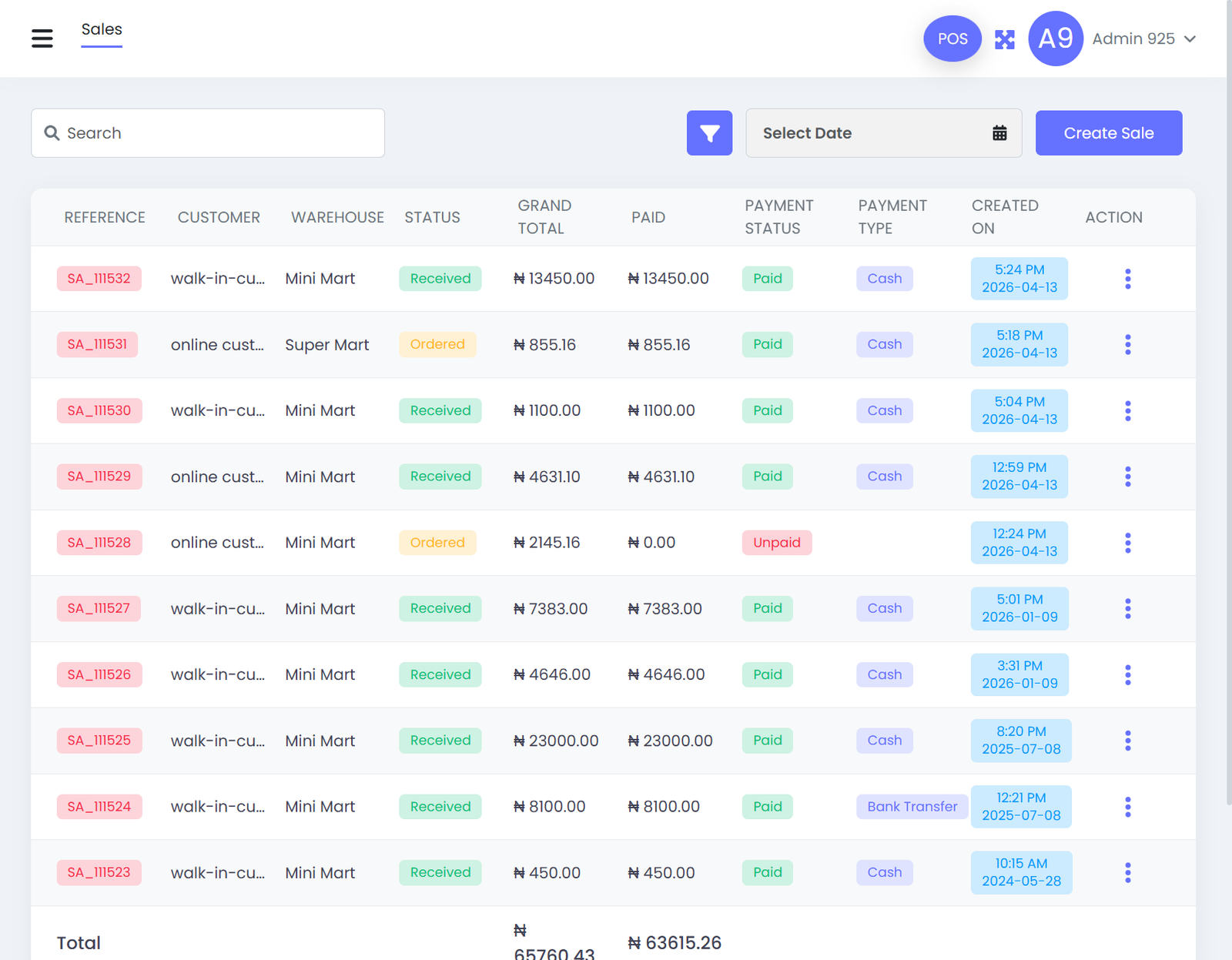
- You will be redirected to the Daily Sales page
- This page displays all sales transactions for the day
Step 3: Review Sales Totals
- Scroll to the bottom of the page
- View the total sales amount and other summary figures
Best Practices
- Check daily sales at the end of each business day
- Use the totals to reconcile with cash and other payment methods
- Monitor trends to identify high-performing days or products
Expected Outcome
After completing these steps:
- You can view all daily sales records
- You can monitor total revenue for the day
- You can easily reconcile transactions and track performance
Attached files