How to Update and Assign Employee and Role Permissions in HR or Settings in 925worksuite ERP
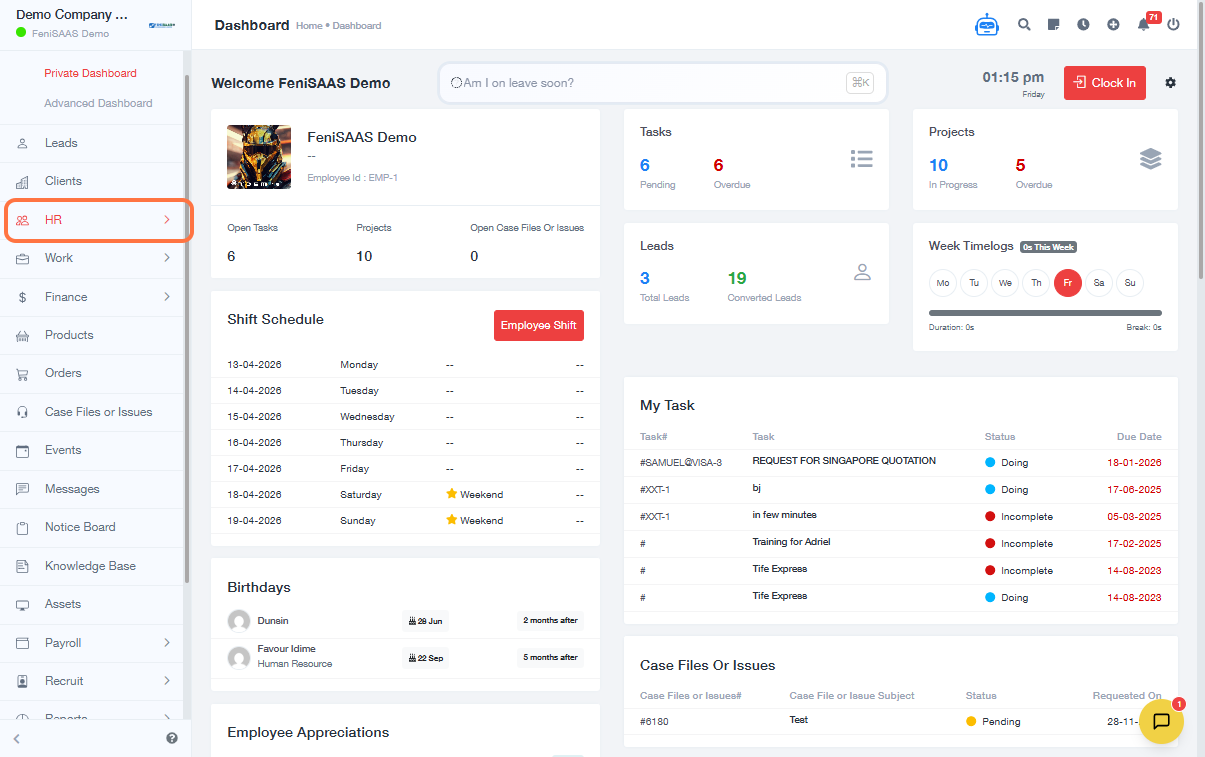
Overview
This guide explains how to update and assign permissions for individual employees and roles in the HR module. It helps administrators control access levels such as viewing, adding, updating, or deleting records across different modules.
Steps
A. Update Employee Permissions
- Go to the Dashboard
- Click on HR
- Select Employees
- Click on the Employee Name
- Click on More
- Select Permissions
-
Configure permissions:
- Select Module
-
Enable or disable:
- Add
- View
- Update
- Delete
- Additional options under More
B. Assign Role-Based Permissions
- Go to Settings
- Click on Roles & Permissions
- Click on Manage Role
- Select Permissions
- Configure permissions for the role:
- Select Module
-
Enable or disable:
- Add
- View
- Update
- Delete
Expected Result
Employee or role permissions will be successfully updated, ensuring users have the correct access levels based on their responsibilities.
Common Errors
- Not selecting the correct module before assigning permissions
- Forgetting to save or apply changes
- Granting excessive permissions (security risk)
- Not updating role permissions after employee role changes
- Confusion between employee-level and role-level permissions
FAQs
1. What is the difference between employee and role permissions?
Employee permissions apply to a specific user, while role permissions apply to all users assigned to that role.
2. Can I override role permissions for a specific employee?
Yes, individual employee permissions can override role-based settings.
3. Why can’t an employee access a module?
Check if the required permissions (View, Add, etc.) are enabled for that module.
4. Do changes take effect immediately?
Yes, permission updates are applied instantly.
5. Should I use role permissions or employee permissions?
Use role permissions for consistency, and employee permissions for exceptions.