Set Repeated Tasks in 925worksuite ERP 0 0
Overview
This article explains how to create repeated (recurring) tasks in the 925 Worksuite ERP. Recurring tasks help automate routine work by scheduling tasks to repeat at defined intervals, such as daily, weekly, monthly, or yearly.
Steps
Step 1: Navigate to Tasks
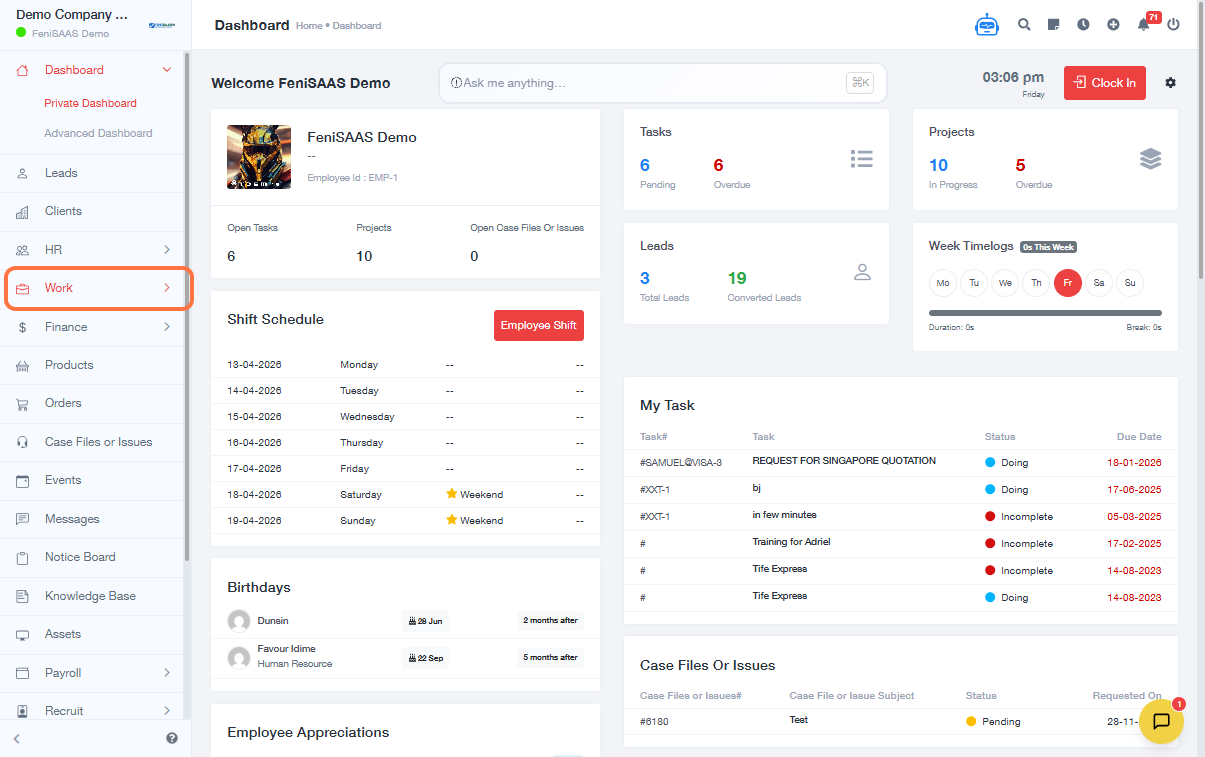
- Click on Work
- Select Tasks
Step 2: Create a New Task
- Click on Add Task
Step 3: Enter Task Details
- Fill in all necessary task information (e.g., task name, assignee, due date, description, Start Date, and Due Date )
Step 4: Open Other Details
- Scroll down and click on Other Details
Step 5: Enable Repeat Option
- Select the Repeat checkbox
- Locate the Repeat Every field
Step 6: Set Repeat Frequency
-
Choose how often the task should repeat:
- Daily
- Weekly
- Monthly
- Yearly
Step 7: Configure Cycles
-
Enter the number of times the task should repeat:
- Example: Enter 4 for four repetitions
- Enter -1 for continuous (infinite) repetition
Step 8: Save Task
- Click on Save
Expected Results
- The task is successfully created
- The task automatically repeats based on the selected frequency
- The system generates future task instances according to the defined cycle
Common Errors
-
Repeat option not enabled
Ensure the “Repeat” checkbox is selected -
Task not repeating
Verify both frequency and cycle values are properly configured -
Incorrect repetition schedule
Double-check the selected interval (daily, weekly, etc.) -
Infinite tasks created unintentionally
Ensure the cycle is not set to -1 unless intended
FAQs
Q1: What does “Repeat Every” mean?
It defines how often the task will recur (e.g., every day, week, month, or year).
Q2: What does cycle mean?
Cycle determines how many times the task will repeat.
Q3: What happens if I set the cycle to -1?
The task will repeat indefinitely until manually stopped.
Q4: Can I edit a repeated task later?
Yes, you can update the task settings, including repetition rules.