Knowledge Article
How to Create a Segment in Contact Segments (MSM)
0
0
Overview
This guide explains how to create a new segment to categorize contacts into different groups for better organization and targeting within MSM.
Steps
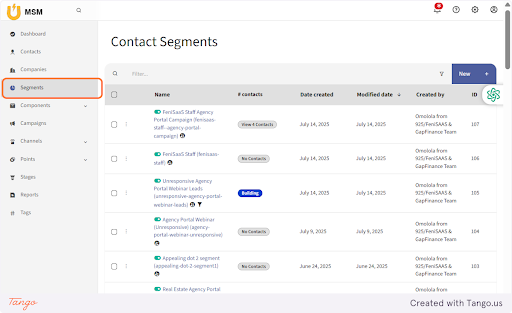
- Navigate to the Segments feature in Contact Management
-
Click on New
This allows you to create a new segment - You will be redirected to the New Segment page
- Enter the required segment details
-
Choose one of the following options:
- Click Save to store the segment
- Click Save & Close to save and exit
- Click Cancel to discard the process
Expected Result
The new segment will be successfully created and available for categorizing contacts.
Common Errors
- Required fields not filled before saving
- Duplicate segment name
- User exits without saving changes
FAQs
Can I edit a segment after creating it
Yes, you can update segment details anytime from the segment list
What happens if I click cancel
All entered details will be discarded
Can I create multiple segments
Yes, you can create as many segments as needed to organize contacts
Why is my segment not saving
Ensure all required fields are filled and the segment name is unique