How to Add a New User (925 POS)
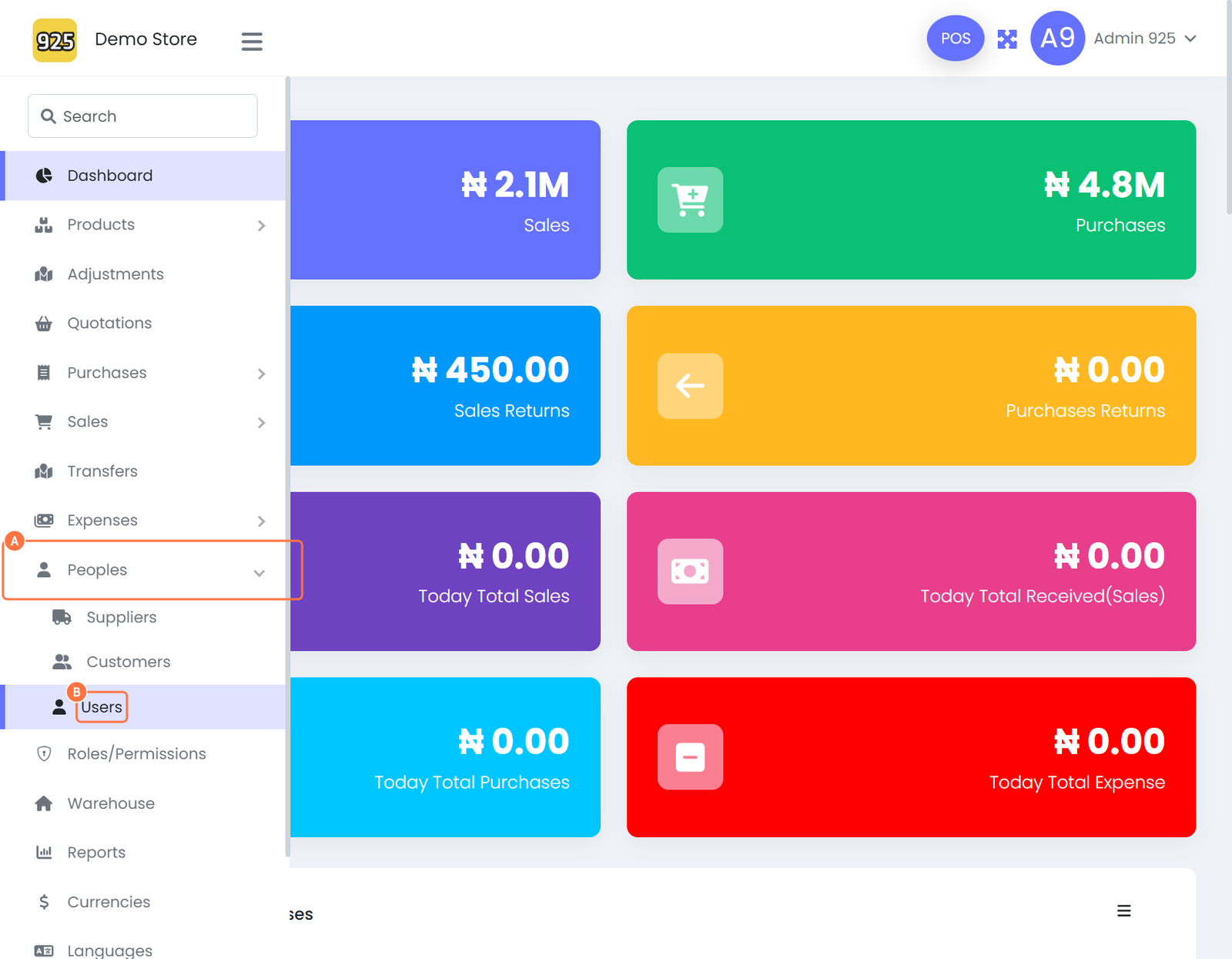
Overview: This guide outlines the process for creating and managing users within the 925POS. Following this walkthrough ensures that account ownership is clearly defined and that all team members have appropriate access to relevant system modules.
Step-by-Step Walkthrough
1. Navigate to the User Management Module
Log in to the Dashboard.
In the sidebar menu, select Peoples.
Click on Users from the dropdown options.
2. Initiate User Creation
Locate and click the Create User button (typically found in the top right corner of the user list).
3. Complete User Profile
Enter the required data into the text fields.
Punctilious Note: Ensure all mandatory fields are completed accurately to maintain clean data for future audits.
Verify that the user is assigned to the correct role or account to establish clear ownership and prevent documentation gaps.
4. Finalize and Save
Review the entered information for accuracy.
Click the Save button to complete the process